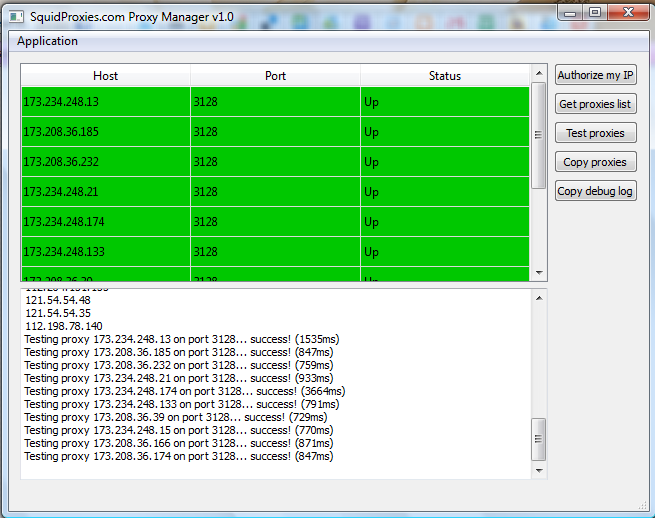
Proxy Manager Guide

1.    Go to https://squidproxies.com/proxymanager/ProxyManager-v1.zip



2.    Save the File and click “OK”.

3. The file will download. Open file.


4.  Close the “pop up window” (Please purchase WinRAR license).

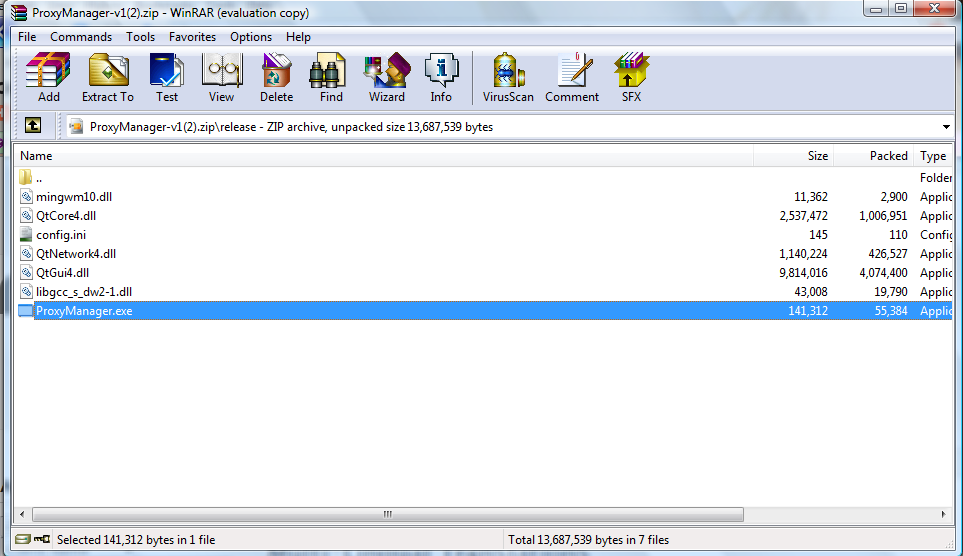
5.    Click “release”.

6.    Click “ProxyManager.exe.”


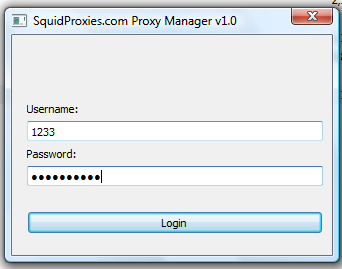
7.    Log in using your VIP control panel username/password


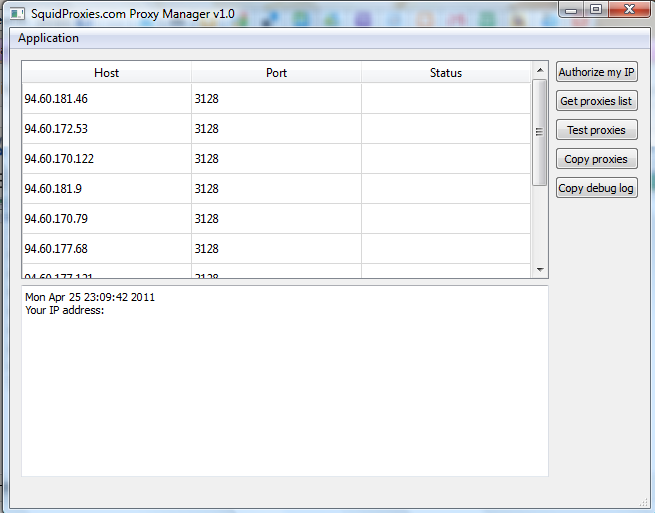
8.    Proxy list will appear. Click on “Authorize my IP”.  Wait for 1-5 mins for system to propagate.

9.    Then, “Test proxies”.


10.  If all or some proxies get “Access Denied”, that means the IP is not yet authorized completely. Just authorize the IP again. Then, test proxies.

11.  If there’s any issue, you can copy the debug log and send it to Support.

  • 678 Users Found This Useful
Was this answer helpful?

Related Articles

How to use a proxy in Android?

Go to Settings. In Wireless and networks, click on Wi-Fi On Wi-Fi, click the router you want to...

How to add my authorized IP?

To add your authorized IP, please go to : https://vip.squidproxies.com/login.php1. Login to the...

How to test proxies in Linux command line interface?

You can easily use our proxies within the Linux CLI using any command-line tool you love. Below...

How to use HTTP proxies in PHP code?

  We support PHP code as long as the CURL library is enabled. 1. Create a file called...

How to use a proxy in Firefox?

Go to Tools > Options.Click on Advanced> Network > Settings.In Connection Settings,...

Powered by WHMCompleteSolution