 Live Chat
 Log In

Incogniton Review 2026: Features, Use Cases, Pricing & Real-World Performance
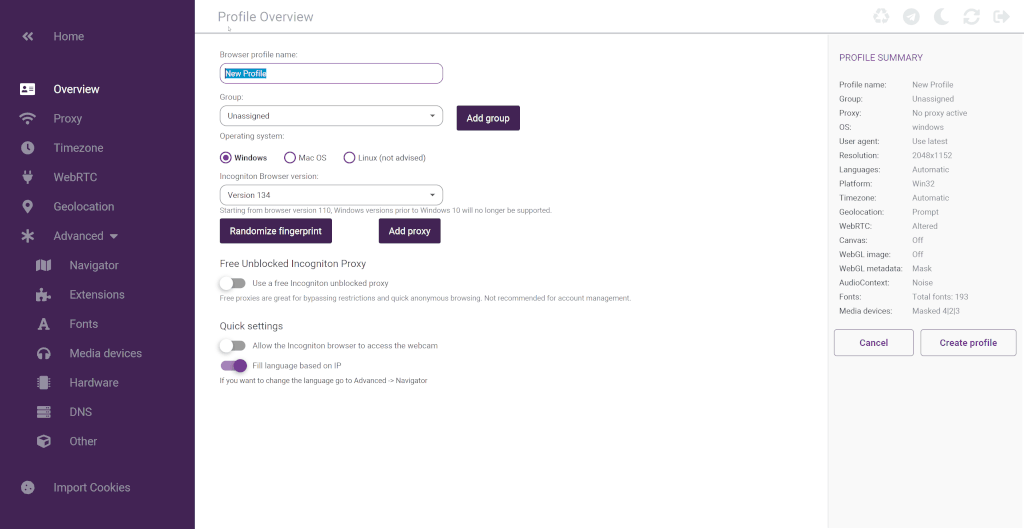
If your workflow depends on managing multiple browser identities, stable sessions, and cleaner account separation, Incogniton is a serious tool worth evaluating. Standard browsers are not built for that kind of work. Once you start dealing with multiple accounts, shared teams, affiliate campaigns, browser-based research, or eCommerce operations, the limits of a normal browser become obvious very quickly.
This Incogniton review looks at the platform as a working anti-detect browser, not just as a feature list. The real question is not whether Incogniton can create browser profiles. It can. The real question is whether it is practical, stable, and efficient enough to deserve a place in a serious operating stack.
What Incogniton is and why people use it
Incogniton is an anti-detect browser built for managing multiple isolated browser profiles with separate fingerprints, proxies, cookies, and session environments. In practical terms, it gives users a way to run many browser identities from one interface without turning those identities into one obvious cluster.
That matters in workflows where identity separation is part of the job. Multi-account operations, affiliate marketing, eCommerce account management, social media operations, ad verification, and browser-based research all benefit from cleaner profile isolation. In those cases, Incogniton is not just a convenience tool. It becomes part of risk control.
First impression: where Incogniton stands out
Incogniton’s biggest strength is that it makes profile-based browser work accessible without feeling stripped down. Some anti-detect tools are powerful but overly technical. Others are easier to use but feel too shallow once you try to scale. Incogniton sits in a more practical middle ground.
It is clearly designed for users who need repeatable profile management, proxy assignment, and browser identity control without building everything manually. That makes it especially useful for solo operators, small teams, and agencies that need structure but do not want unnecessary operational friction.
Profile isolation is the core value
The foundation of Incogniton is profile isolation.
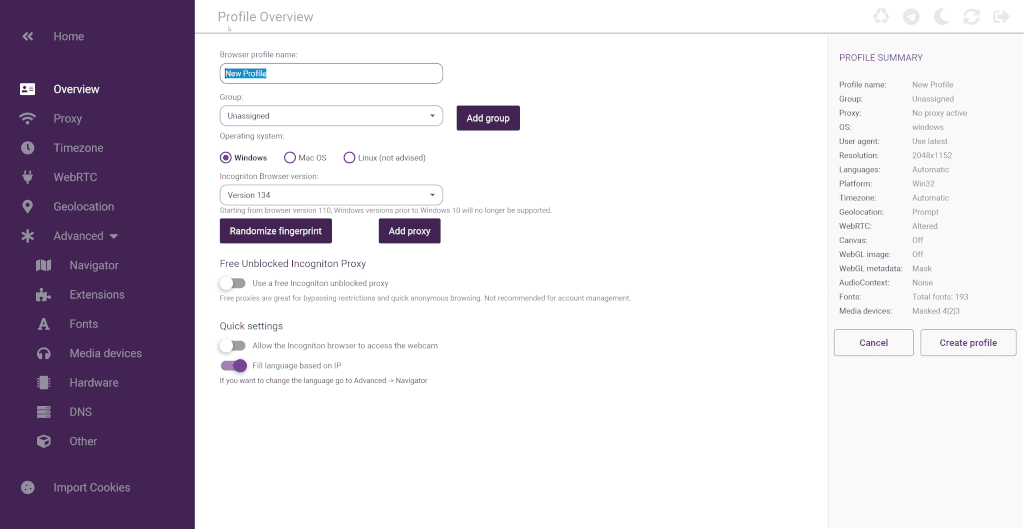
Each browser profile is treated as a separate environment with its own cookies, local storage, session data, and configurable identity settings. That is the feature that gives the rest of the platform meaning. Without clean separation, most multi-account or anti-detect workflows become harder to manage and easier to link together.
From a reviewer’s perspective, this is where Incogniton does the right thing conceptually. It treats isolation as the baseline, not as a bonus feature.
Fingerprint management: useful, practical, and central to the product
Fingerprint control is one of the main reasons to use Incogniton in the first place.
A browser profile in this category needs to feel distinct enough that multiple profiles do not all look like the same machine wearing different masks. Incogniton addresses this with per-profile fingerprint handling and a built-in fingerprint generator, which lowers the amount of manual setup required.
This matters because browser fingerprinting is where many people underestimate the complexity of account stability. IPs matter, but identity consistency matters too. In that sense, Incogniton is strongest when it is treated as the identity layer sitting alongside your proxy layer, not as a replacement for it.
Proxy integration is one of the most practical parts of the platform
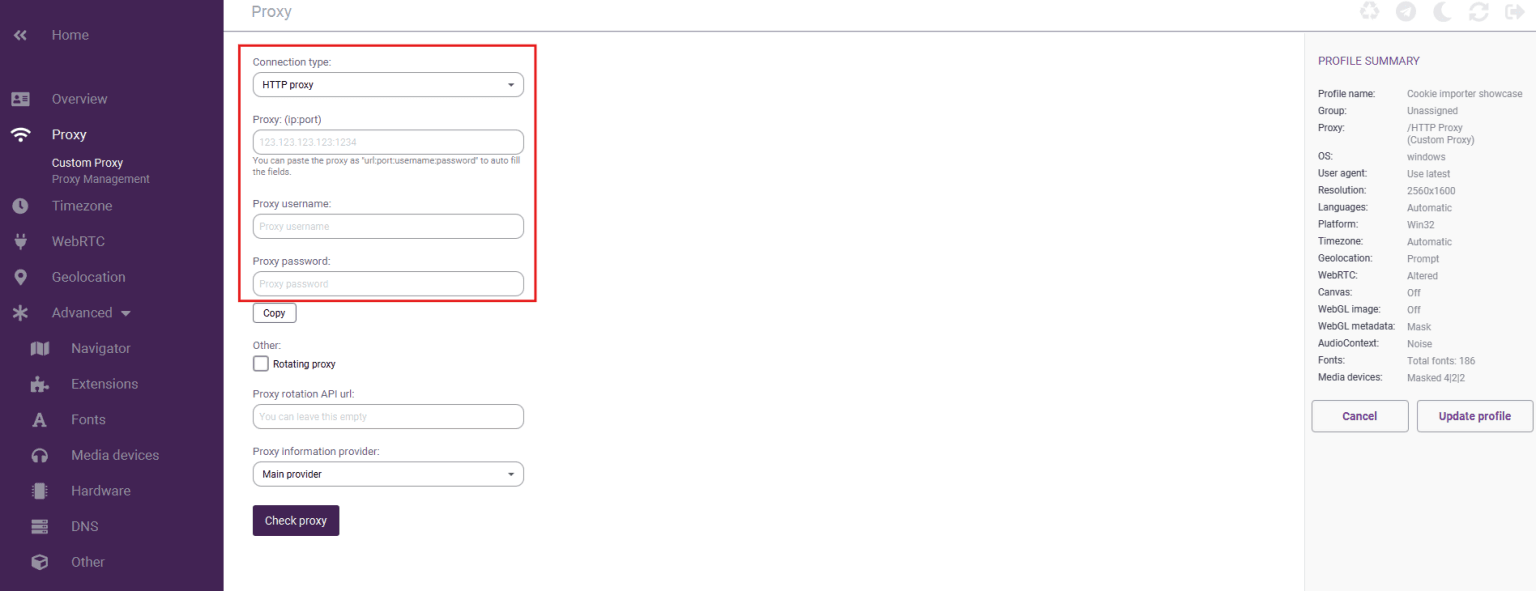 This is one of the areas where Incogniton feels operationally useful instead of just technically interesting.
Proxy assignment happens at the profile level, which is exactly how it should work in an anti-detect browser. That gives users more control over location, session continuity, and separation between browser identities. Support for HTTP, SOCKS4, and SOCKS5 is also a practical baseline because users in this market are rarely working with just one proxy format.
That said, the browser only solves part of the equation. Proxy quality still matters heavily. A strong Incogniton setup paired with weak proxies is still a weak stack. If the workflow depends on external proxies, a separate guide for Incogniton setup is useful for getting the routing and profile layer aligned correctly.
Team features make Incogniton more than a solo browser tool
A lot of anti-detect browser discussions stay too focused on individual users. In reality, many of these tools become much more valuable when teams need to share access without turning profile management into chaos.
Incogniton’s team-account model is one of its more important strengths. Separate logins, role-based permissions, and profile sharing push it beyond simple profile creation and into something that can support agency operations or distributed workflows. That matters because as soon as more than one person touches the same account environment, governance starts to matter as much as fingerprinting.
For agencies and eCommerce teams, this is not a minor feature. It is often the difference between a workable system and a messy one.
Data synchronization and portability are more valuable than they seem
At first glance, synchronization can sound like a convenience feature. In practice, it affects continuity.
Being able to access profiles across devices and preserve state in a structured way reduces setup duplication and lowers the chance of breaking a working environment during machine changes or team handoffs. That makes Incogniton more practical for ongoing operations, not just one-off experiments.
This is the kind of feature that tends to matter more over time than it does in a quick comparison chart.
Cookies management is a genuine workflow feature, not filler
Cookie handling is often overlooked in reviews, but it should not be.
If profiles are supposed to behave like stable user environments, then importing, exporting, and generating cookies can have a direct effect on how believable and persistent those environments feel. Incogniton’s cookie management tools add real operational value here, especially for users trying to reduce friction in account-based flows or simulate warmer browser histories.
This is one of those areas where the platform looks stronger when viewed through actual workflow needs rather than marketing language.
Bulk creation and workflow speed
Bulk profile creation is not glamorous, but it matters as soon as you move beyond a handful of profiles.
The fact that Incogniton includes a profile bulk creator is important because repetitive setup work becomes a major source of wasted time in profile-based systems. Anything that shortens the path from one profile to many profiles improves usability in a very direct way.
This is also where Incogniton feels aligned with practical users rather than just hobby experimentation.
Automation support: useful, but only if it fits your stack
Incogniton supports Selenium, Puppeteer, and REST API workflows, which makes it more attractive for users who need repeatable profile actions or automated browser handling.
That is a meaningful strength, but it is also where expectations need to stay realistic. Incogniton is not a full scraping engine. It is a profile and browser identity layer. It can sit alongside automation frameworks, but it is not the thing that replaces dedicated crawler architecture or high-throughput collection systems.
Used correctly, this is a strength. Used with the wrong expectation, it becomes a mismatch.
Pricing: what you’re really paying for
Pricing matters, but anti-detect browsers should be judged by usable capacity, not just the monthly number on the pricing page.
With Incogniton, the practical cost question is usually this: how many browser profiles, team members, and workflow features do you actually need before the tool starts replacing manual work or reducing account friction. The free plan is useful for testing the platform and getting familiar with the interface, while paid plans make more sense once you need more profiles, collaboration, or a more repeatable operating setup.
The real cost of using Incogniton is also bigger than the software subscription alone. You need to think about proxy spend, operator time, and the workflow overhead around account management. If Incogniton reduces manual setup time, account crossover risk, or browser management friction, the value can be higher than the subscription cost suggests. For small teams and solo operators, that tradeoff often matters more than raw pricing alone.
Best-fit use cases
Incogniton is strongest in use cases where browser identity matters as much as the page content itself.
That includes:
- affiliate marketing workflows that depend on profile separation and geolocation control
- social media management across multiple accounts
- eCommerce and dropshipping operations with separate store or marketplace identities
- digital marketing agencies managing client-specific browser environments
- traffic arbitrage workflows where account continuity matters
- price comparison or geo-sensitive browser tasks
In these contexts, Incogniton makes sense because the browser itself is part of the operating model.
Where Incogniton is less ideal
Incogniton is not the ideal tool for every type of web activity.
If the workload is primarily bulk crawling, API-heavy extraction, or very high-throughput scraping, then lighter browser automation tools or HTTP-based systems will often be more efficient at the core. In those environments, Incogniton may still be useful for login-gated or high-sensitivity steps, but it is less likely to be the center of the stack.
That is not a weakness in the product. It is a reminder that anti-detect browsers solve a specific class of problems.
Strengths
Incogniton’s strongest qualities are fairly clear:
- practical profile isolation
- useful fingerprint management
- profile-level proxy control
- good team-account structure
- valuable cookie and bulk profile tools
- straightforward setup flow
- meaningful support for automation-adjacent workflows
- a low-friction entry point for initial testing
Taken together, these make it easier to understand why the platform appeals to both solo users and growing teams.
Weaknesses and limitations
The product also has limits that are worth saying plainly.
- It still requires users to understand the basics of proxies, browser identity, and session behavior.
- The quality of results depends heavily on the quality of the proxy setup behind it.
- It is strongest for profile-based workflows, not general-purpose high-throughput scraping.
- Users who expect the browser alone to solve account risk or detection issues will probably misuse it.
In other words, Incogniton is a strong tool, but not a magic one.
Is Incogniton worth it?
For the right user, yes.
If your workflow is built around multiple browser identities, stable sessions, profile sharing, and account separation, Incogniton is easy to justify. It combines enough core functionality to support real operations without feeling bloated or inaccessible.
What makes it worth considering is not one headline feature. It is the way profile isolation, fingerprint tooling, proxy support, synchronization, cookie handling, and team features come together into one usable environment.
Frequently Asked Questions
What is Incogniton best used for?
Incogniton is best used for workflows that require separate browser identities, such as multi-account management, affiliate operations, social media work, eCommerce account handling, and browser-based research.
Does Incogniton support proxies?
Yes. Proxy assignment is built into the profile workflow, which is important because profile identity and IP routing usually need to stay aligned.
Is Incogniton good for teams?
Yes. Its role-based access model and profile-sharing features make it much more practical for agencies and collaborative teams than a purely local, single-user browser tool.
Does Incogniton replace proxies?
No. It manages browser identity, not network identity by itself. Strong results still depend on using the right proxy setup alongside the browser.
Can Incogniton work with automation tools?
Yes. It supports Selenium, Puppeteer, and REST API workflows, which makes it useful for users who need repeatable profile actions or browser-based automation.
Is Incogniton good for pure high-volume scraping?
Not as the core layer. It is more useful where profile realism and browser identity matter. For large-scale collection, it usually fits best as a supporting layer for sensitive or login-based tasks.
Final verdict
Incogniton is a strong anti-detect browser for users who need structured profile isolation, practical proxy integration, and enough workflow tools to operate beyond a handful of browser sessions.
Its value is clearest when browser identity is part of the operational problem. For those users, it offers a useful balance of functionality, usability, and team readiness.
If the goal is cleaner browser-based operations with less account crossover and better identity control, Incogniton is worth serious consideration. A small real-world pilot with your actual workflow is the best next step before rolling it into a larger stack.
Related Articles
MostLogin: The Premier Anti-Detect Browser for Seamless Multi-Account Management and Automation
MostLogin is an anti-detect browser designed for secure multi-account management, browser profile isolation, proxy integration, automation, and team collaboration. It supports use cases across e-commerce, social media, affiliate marketing, advertising, and other multi-profile workflows.

E-Commerce Price Monitoring Infrastructure Guide
A practical, metrics-driven guide to designing, operating, and scaling e-commerce price monitoring infrastructure for marketing, SEO, and data teams.
Local SEO Monitoring with Residential Proxies: Accurate Geo-Results at Scale
A practical guide to running location-accurate SERP and map monitoring using residential proxies. Learn about architecture, routing choices, metrics, failure modes, and a decision framework built for agencies, brands, and data teams.