 Live Chat
 Log In

Understanding Proxy Network Latency in Scraping
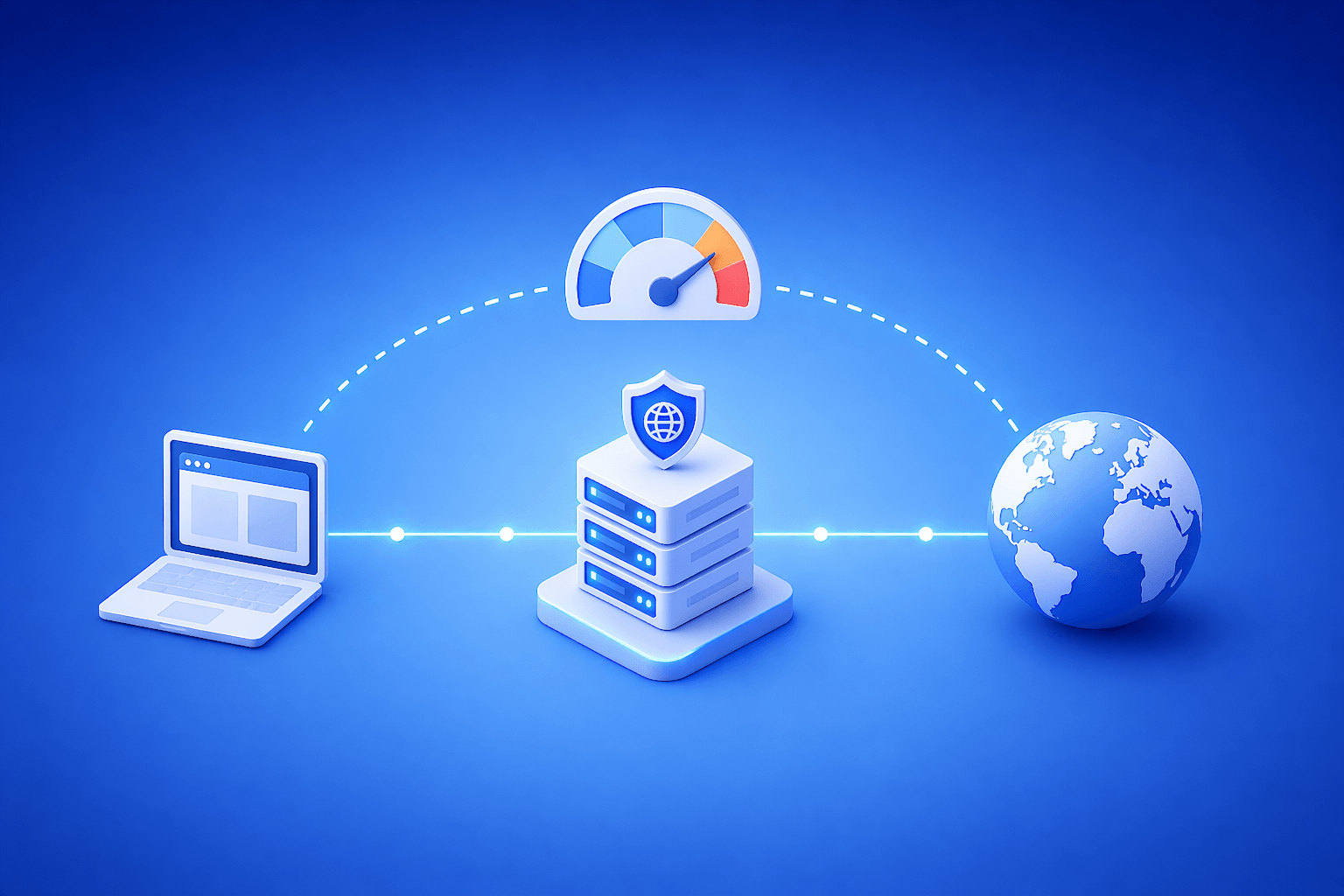
A scraper can have the right parser, the right target list, and enough proxies—and still feel slow, unstable, or unexpectedly expensive. In many cases, the hidden cause is proxy network latency. When latency rises, retries take longer, throughput drops, and time-sensitive data becomes less useful.
What you’ll get here is a practical guide to what proxy latency actually means, what causes it, how it affects scraping performance, and what to measure before changing your setup.
Proxy network latency is the delay between sending a request through a proxy and receiving the first useful response from the target. In scraping, higher latency reduces throughput, increases queue time, and can raise the cost of each usable result.
Why latency matters more than most scraping teams expect
Many teams focus first on block rate, proxy type, and rotation. Those are important, but latency can quietly shape the economics of the whole pipeline.
If each request takes longer to complete, the system collects fewer records per worker, sessions stay open longer, and timeouts become more common. That means the same scraping workload may suddenly need more compute, more retries, or more parallelism just to hold the same output.
This is one reason why different proxy use cases need different performance expectations. A price monitor with short refresh windows cares about latency more directly than a weekly crawl of low-priority pages.
What proxy network latency actually includes
Latency is not a single thing. It is the total delay introduced across multiple steps in the request path.
That can include:
- connection time to the proxy
- transit time from the proxy to the target
- TLS handshake time
- target response delay
- transfer delay for the first useful bytes
In plain terms: latency is the time your system spends waiting before it can do useful work.
Why proxy latency rises in real scraping systems
Geographic distance
The farther the request has to travel, the longer the round trip may be.
If the proxy is in one region and the target is optimized for another, latency usually rises. This matters more when the target is already slow or when response windows are tight.
Proxy type and network path
Different proxy types can introduce different performance profiles.
Datacenter proxies often offer lower latency for high-volume collection because they are built for speed and scale. Residential proxies may introduce higher or more variable latency because they route through real consumer networks.
That does not make one universally better. It means latency needs to be evaluated against target difficulty, session needs, and success rate.
Pool congestion
If too much traffic is routed through the same proxy group, latency can rise before block rates become obvious.
This usually shows up as slower response times, higher queue depth, and more inconsistent task completion.
Session-heavy workflows
Scraping that involves login, navigation, or browser-driven steps often increases total response time.
In those cases, latency is not just network delay. It also reflects how long the infrastructure keeps the route stable enough to complete a workflow.
Poor request orchestration
Even a fast proxy can feel slow if request timing is inefficient.
Burst-heavy traffic, weak queue logic, and unnecessary retries can all increase the apparent latency of the system.
How latency affects scraping performance in practice
Latency matters because it changes how much work your infrastructure can finish in a given time.
A few common impacts:
- lower throughput per worker
- longer queue times
- more timeouts on slower targets
- reduced freshness for time-sensitive collection
- higher compute cost per successful record
If a pipeline collects pricing, availability, or time-dependent data, these delays can reduce the value of the result even when the request technically succeeds.
This is especially relevant for teams using web scraping proxies across many domains with different response behaviors.
What a good latency baseline looks like
There is no universal “good” latency number for scraping. The right baseline depends on the target, the workflow, and the business requirement.
A better approach is to benchmark by source type:
| Source type | What to watch |
|---|---|
| Public and low-friction pages | median latency and throughput |
| Protected or geo-sensitive targets | latency plus success rate |
| Session-based workflows | latency plus session completion |
| Time-sensitive monitoring | latency plus freshness window |
In plain terms: low latency is useful only if it still produces stable, usable results.
How to measure proxy network latency correctly
Do not rely on a single average number.
At minimum, track:
- median latency
- p95 latency
- timeout rate
- time to first byte
- request success rate by proxy type
- latency by domain or route
Median tells you the normal case. P95 tells you what the slowest meaningful slice of traffic looks like. That matters because scraping systems often fail at the edges before the averages look bad.
Real-world scenario: product monitoring across mixed targets
Imagine a team monitoring inventory and pricing across a large group of retail sites. Public category pages may perform quickly on datacenter routes.
But once the workflow touches dynamic pricing or location-sensitive stock pages, response time may rise sharply, especially if the route shifts to residential traffic. The fix is not always to force faster proxies. Often it is to segment the workflow so easy pages use lower-latency routes while sensitive pages use more resilient ones.
That keeps the pipeline balanced instead of forcing one latency profile onto every page type.
Watch out for this
Chasing speed without checking result quality
Lower latency is not a win if success rate drops or pages return incomplete data.
Looking only at averages
Average latency can hide a slow, unstable tail that damages throughput and freshness.
Mixing very different targets in one benchmark
Latency results become misleading when public pages and protected workflows are measured together without segmentation.
Using residential proxies where speed matters more than realism
Residential routes can improve access on difficult targets, but they may add delay. Use them where that tradeoff is worth it.
Mistaking queue delay for network delay
Sometimes the proxy is fine and the orchestration layer is the real bottleneck.
How to reduce latency without creating new problems
Match proxy type to workload
If the target is low-friction and public, faster datacenter routes may be enough.
If the target is protected, geo-sensitive, or session-dependent, residential routes may still be the better fit even if latency is higher. The goal is not the fastest route in isolation. It is the best route for usable output.
Keep geography aligned
Try to keep proxy location reasonably close to the target or the expected audience region.
This can reduce transit time and improve geo consistency at the same time.
Segment routes by source behavior
Do not force one latency expectation across all targets.
Separate:
- public endpoints
- login workflows
- geo-sensitive pages
- high-friction targets
Then compare latency within those groups instead of across unrelated tasks.
Tune concurrency carefully
If concurrency is too high, queue delay and route instability may make latency look worse than it really is.
Lowering concurrency on a weak target sometimes improves both latency and success rate.
Remove weak routes faster
Some routes become slow before they become obviously bad.
Track latency drift by proxy group and deprioritize routes that keep slowing down even before block rates spike.
Latency, cost, and capacity planning
Latency is also a budgeting issue.
If requests take longer, you may need more workers, more browser time, or more active sessions to collect the same amount of data. That increases effective cost even if proxy pricing stays the same.
That is why latency should be evaluated alongside available comprehensive proxy guide concepts like routing, proxy type, and session control, not as a standalone metric.
A practical metric to watch is:
cost per successful record = total request-related spend / valid collected records
In plain terms: how much you paid for each usable result after accounting for slow routes, retries, and timeouts.
When to revisit your latency assumptions
Review your setup when you see:
- slower throughput without a major traffic increase
- more request timeouts on the same domains
- longer browser sessions for the same workflows
- rising p95 latency even when median looks stable
- increasing cost without better freshness or coverage
Those signals usually mean latency has become an infrastructure issue, not just a background statistic.
Frequently Asked Questions
What is proxy network latency in scraping?
It is the delay between sending a request through a proxy and getting the first useful response back. In scraping, that delay affects throughput, timeout risk, and overall pipeline efficiency.
Are datacenter proxies always lower latency than residential proxies?
They often are, but not in every case. Datacenter proxies are usually built for speed, while residential proxies often trade some speed for higher realism and better access on protected targets.
Should I optimize for the lowest possible latency?
Not by itself. Lower latency is useful only if success rate and data quality stay stable. The better goal is the best tradeoff between speed, reliability, and cost.
What metric matters more: median latency or p95 latency?
Both matter. Median shows your normal performance, while p95 shows the slower edge that often drives timeouts and queue buildup.
Can high latency increase scraping cost even if proxies are cheap?
Yes. Slow routes reduce throughput, keep workers busy longer, and can increase retries. That raises the effective cost of each usable record.
How often should I benchmark latency by route or source?
Regularly enough to catch drift before it affects output. For active scraping programs, reviewing latency by source during each major tuning cycle is usually a good baseline.
Final thoughts
Strong proxy network latency management is not about chasing the smallest number possible. It is about understanding where delay actually hurts output and then matching route design to the needs of the workload.
If your pipeline feels slower, less fresh, or more expensive than expected, start by measuring latency by source type, proxy type, and route. That often reveals whether the real problem is the network path, the orchestration layer, or the workload mix itself.
Related Articles
Rotating vs Static Proxies: Performance Tradeoffs
A practical, decision-focused guide comparing rotating and static proxies. Learn how each impacts success rate, block rate, latency, cost, and data quality. Includes a selection framework, tuning tips, failure modes, and measurable metrics for scraping, automation, and analytics teams.

Mobile Proxies vs Residential Proxies: A Practical Buying and Build Guide
A hands-on comparison of mobile vs residential proxies for scraping, ads, and automation. Learn when to use each, how they work, what to measure, failure modes, and a decision framework to cut block rates and improve ROI.
ISP Proxies Explained: When to Use Them
A practical, decision-focused guide to ISP proxies. Learn what they are, where they outperform residential and datacenter proxies, key trade-offs, deployment tips, metrics to track, and real-world scenarios.