 Live Chat
 Log In

Collecting Public Web Data for LLM Training: A Practical Playbook
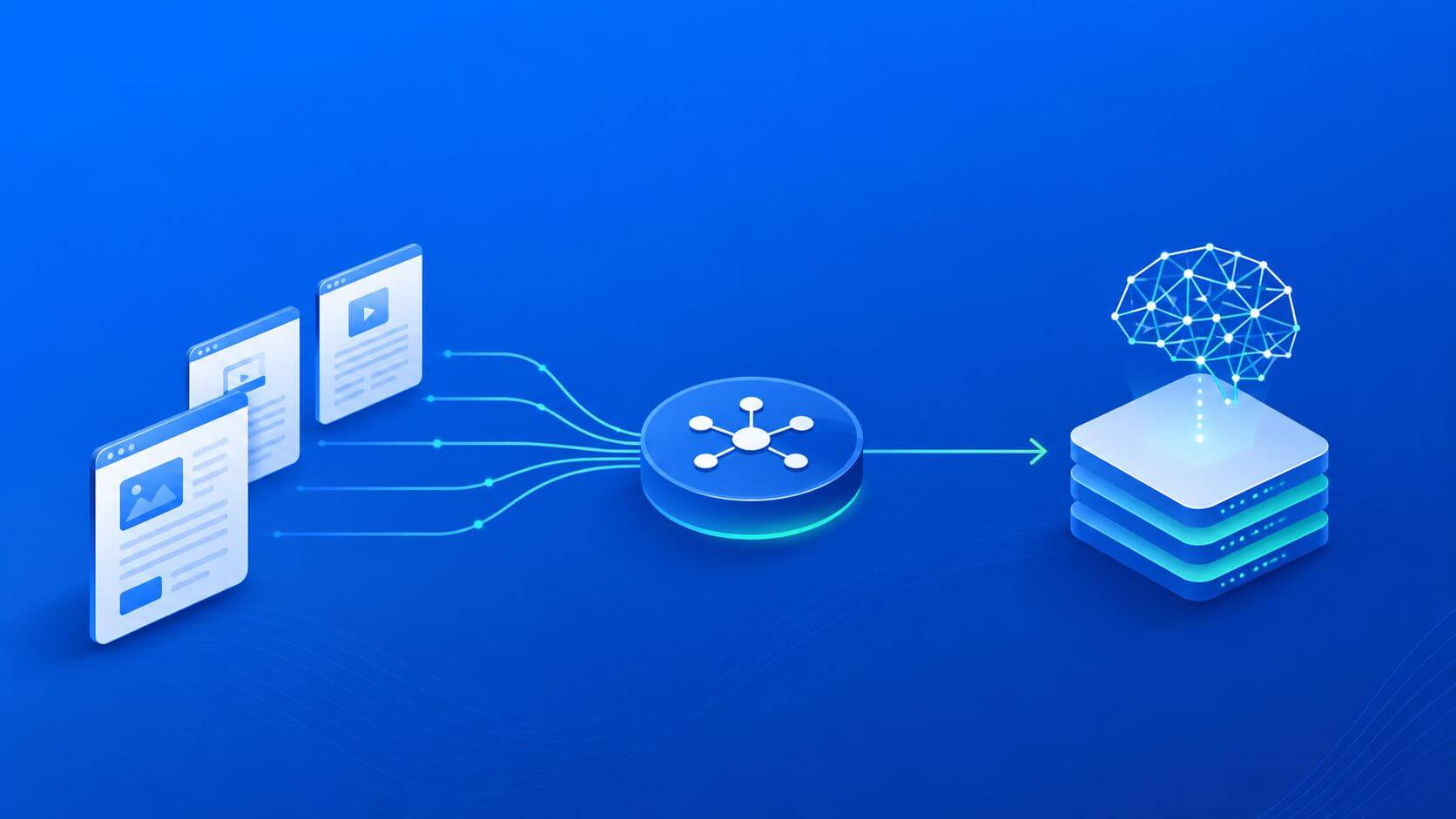
Large language models are only as useful as the data behind them. If the source data is outdated, duplicated, regionally biased, poorly licensed, or full of low-quality pages, the model will reflect those weaknesses. The result is often worse answers, more hallucinations, higher review costs, and weaker performance in real product workflows.
Collecting public web data for LLM training is not just a scraping problem. It is a data governance, infrastructure, compliance, and quality-control problem. Teams need a pipeline that can discover permitted sources, collect content responsibly, validate the returned data, preserve metadata, remove unsafe or unnecessary information, and route difficult workloads through the right infrastructure.
For teams collecting public web data at scale, data for AI workflows often require a combination of source planning, crawl control, proxy routing, data validation, and ongoing monitoring. The goal is not simply to gather more text. The goal is to build a clean, traceable, defensible dataset that improves model performance without creating unnecessary legal, operational, or reputational risk.
What Collecting Public Web Data for LLM Training Means
Collecting public web data for LLM training means discovering, fetching, processing, and storing openly accessible content that can be used for model training, fine-tuning, evaluation, retrieval, or enrichment.
A responsible pipeline should answer these questions before collection begins:
- Is the source publicly accessible without login, paywall, or circumvention?
- Are the site terms, robots directives, or license conditions compatible with the intended use?
- What data fields are needed?
- What data should be excluded?
- How will duplicates, boilerplate, and unsafe content be removed?
- How will source metadata and provenance be preserved?
- How will collection quality be measured?
This matters because LLM training data is not only judged by volume. It is judged by usefulness, coverage, freshness, rights, and traceability.
What Counts as Public Web Data?
Public web data generally refers to content that is accessible without authentication, payment, or technical circumvention. Examples may include public documentation, government information, open-source project pages, public product catalogs, blogs, RSS feeds, public sitemaps, and open-licensed datasets.
However, “publicly visible” does not automatically mean “free to use for model training.” Collection teams still need to evaluate:
- site terms
- robots.txt instructions
- copyright or license status
- privacy obligations
- data sensitivity
- jurisdiction-specific requirements
- internal compliance policies
If rights are unclear, the safer path is to exclude the source, request permission, use an official API, or pursue a licensed data feed.
Why Public Web Data Quality Matters for LLMs
Poor training data can create expensive downstream problems.
Bad inputs may cause:
- hallucinated or outdated answers
- biased model behavior
- poor regional understanding
- irrelevant retrieval results
- repeated boilerplate responses
- duplicated training examples
- unsafe or toxic outputs
- weak performance on niche domains
High-quality public web data improves:
- factual coverage
- answer consistency
- domain-specific vocabulary
- multilingual or regional representation
- evaluation quality
- retrieval relevance
- fine-tuning efficiency
For business teams, better data can reduce review costs and improve product outcomes. For engineering teams, cleaner data reduces pipeline rework, debugging time, and retraining waste.
Start with Source Strategy, Not Crawling
A strong LLM data pipeline starts with source selection.
Before fetching anything, define:
- the model use case
- target languages
- target regions
- domain categories
- acceptable source types
- excluded source types
- rights requirements
- update frequency
- quality thresholds
For example, a support assistant may need official documentation, help center pages, and product release notes. A market intelligence model may need public product catalogs, pricing pages, public reviews where allowed, and regional content. A multilingual assistant may need carefully balanced language coverage.
Without a source strategy, the pipeline may over-collect easy pages while missing important regions, formats, or domains.
Collection Paths: Which One Should You Use?
Different collection methods have different cost, risk, and quality profiles.
| Collection Path | Best For | Cost and Risk Profile |
|---|---|---|
| Open-licensed datasets | Baseline corpora, public reference data | Lower risk if license is clear |
| Official APIs | Structured data, reliable access | Predictable and easier to govern |
| RSS or Atom feeds | News, updates, fresh content | Efficient for change detection |
| Sitemaps | Blogs, docs, catalogs | Good for structured discovery |
| Static HTML fetching | Public pages with server-rendered content | Low cost and scalable |
| Browser rendering | JavaScript-heavy pages | Higher cost; use selectively |
| Licensed partner feeds | High-value recurring data | Contract cost, stronger rights clarity |
The best rule is simple: use the most reliable, permission-friendly, and cost-efficient collection method available. Use browser rendering and complex infrastructure only when simpler methods cannot return complete, valid data.
Where Proxy Infrastructure Fits
Proxy infrastructure helps when the collection layer needs controlled network routing, geographic coverage, or distributed access patterns. It can support public data collection by improving reliability across regions, reducing overconcentration from a single route, and helping teams validate localized content.
For straightforward public pages, datacenter proxies may be enough. They are typically fast, predictable, and cost-efficient for large-scale collection from lower-friction sources.
For geo-sensitive, consumer-facing, or region-specific pages, residential proxies may be more appropriate. They can help teams confirm what content is shown from specific countries or cities.
For broader implementation planning, web scraping proxies should be treated as part of the data collection layer—not as a replacement for compliance, source validation, or data cleaning.
A Practical Pipeline Architecture
A scalable public web data pipeline usually includes the following components:
-
Source registry Stores approved domains, source types, collection rules, license notes, and owners.
-
Discovery layer Uses sitemaps, feeds, APIs, seed URLs, and approved domain lists to find candidate pages.
-
Fetcher layer Uses HTTP clients or browser automation depending on source complexity.
-
Routing layer Chooses direct access, datacenter proxies, residential proxies, or region-specific routes based on policy.
-
Parser layer Extracts text, headings, links, tables, metadata, and structured fields.
-
Normalization layer Cleans HTML, removes boilerplate, detects language, standardizes encoding, and segments text.
-
Deduplication layer Removes exact and near-duplicate content using URL normalization, hashes, and similarity checks.
-
Safety and compliance filters Removes or flags personal data, unsafe content, restricted sources, and license-risk material.
-
Storage and lineage Saves raw fetches, cleaned text, metadata, hashes, parser versions, timestamps, and rights notes.
-
Training-ready export Creates versioned datasets for fine-tuning, evaluation, RAG indexing, or enrichment.
A simplified flow looks like this:
Approved Sources
   ↓
Discovery
   ↓
Fetcher / Browser Worker
   ↓
Proxy and Routing Policy
   ↓
Parser
   ↓
Normalization
   ↓
Deduplication
   ↓
Safety and Rights Filters
   ↓
Versioned Dataset
   ↓
LLM Training / RAG / Evaluation
Each stage should be observable. If a model output later becomes questionable, the team should be able to trace which source, version, parser, and filter produced the training example.
Proxy Selection for LLM Data Workloads
Proxy selection should depend on source type and data sensitivity.
| Workload | Recommended Route | Why |
|---|---|---|
| ------------------------- | ----------------------------------------- | --------------------------------------- |
| Public documentation | Direct or datacenter | Low friction, predictable structure |
| Blogs and public articles | Datacenter | Efficient for large-scale fetching |
| Regional public content | Residential by GEO | Helps validate localized pages |
| Product catalogs | Datacenter first, residential fallback | Controls cost while improving coverage |
| JavaScript-heavy pages | Browser rendering with controlled routing | Use only when static HTML is incomplete |
| Public feeds and APIs | Direct/API access | Usually most reliable and compliant |
Do not use premium proxy routes everywhere by default. Use the lowest-cost responsible route that returns complete, valid, and approved content.
Browser Rendering: Use It Selectively
Browser automation can be useful when content is rendered through JavaScript or hidden behind client-side interactions. However, browsers are more expensive than HTTP clients.
Use browser rendering when:
- static HTML is empty or incomplete
- important text loads after JavaScript execution
- page structure depends on interaction
- content appears after filters or pagination
- a rendered snapshot is needed for validation
Avoid browser rendering when:
- an official API exists
- RSS or sitemaps provide enough content
- static HTML contains the required text
- browser cost does not improve data quality
Tools such as Playwright, Puppeteer, and Selenium can support rendering workflows, but they should be routed only to pages that justify the added cost.
Data Quality Controls for LLM Training
A public web data pipeline should reject bad content early.
Important quality checks include:
- language detection
- content length limits
- boilerplate removal
- duplicate detection
- near-duplicate detection
- page title extraction
- heading hierarchy preservation
- main content extraction
- broken encoding detection
- unsafe content filters
- PII detection and removal
- license or rights tagging
- source reputation review
For LLM use, context matters. Store headings, page titles, source URLs, publication dates, and section structure wherever possible. A paragraph without source context may be less useful than the same paragraph with title, heading, language, date, and source metadata attached.
Metadata You Should Preserve
At minimum, store:
- URL
- canonical URL
- source domain
- crawl timestamp
- content hash
- language
- region or GEO
- source type
- license or rights tag
- parser version
- extraction method
- HTTP status
- redirect chain
- robots or policy status
- dedupe status
- safety filter status
This metadata is valuable for auditing, debugging, deduplication, retraining, takedowns, and evaluation.
Metrics That Prove the Pipeline Works
Track metrics across source, domain, route, language, and region.
| Metric | Why It Matters | | | ----------------- | ----------------------------------------------------- | | | | Success rate | Shows how often valid pages are collected | | Block rate | Reveals access or routing friction | | CPSR | Measures cost per successful request | | Dedupe rate | Shows how much duplicate content is removed | | Schema pass rate | Confirms downstream usability | | Freshness lag | Tracks how current the dataset is | | Language coverage | Prevents overrepresentation of one language | | Geo accuracy | Confirms regional content is valid | | Rejection rate | Shows how much content fails quality or safety checks | | Source diversity | Reduces overdependence on easy sources |
CPSR means cost per successful request. In plain terms, it tells you how much every usable page costs after infrastructure, proxy, browser, retry, and failure costs are included.
Compliance and Governance
Public web data collection for LLM training should be governed from the beginning.
A responsible process should:
- respect applicable laws
- follow site terms and robots directives where applicable
- avoid login walls, paywalls, or access-control circumvention
- prefer APIs and licensed feeds when available
- minimize personal data collection
- filter sensitive fields early
- preserve provenance
- support takedown and opt-out processes
- document collection purpose
- maintain reviewer ownership for each source category
A domain policy registry is especially useful. It should define what can be collected, how often, through which route, under which license or policy note, and for what purpose.
For broader planning, map approved workflows to clear proxy use cases so infrastructure decisions stay connected to business and compliance requirements.
Common Failure Modes
Collecting Too Broadly
More data is not always better. Unfiltered collection can introduce noise, duplication, and legal uncertainty.
Ignoring Rights Metadata
If you cannot trace license status or source permissions, the dataset becomes harder to defend and reuse.
Training on Duplicate Content
Duplicated pages can overweight certain phrases, brands, formats, or opinions.
Missing Regional Signals
If regional pages are collected from the wrong location, the model may learn incorrect pricing, availability, or policy information.
Parser Drift
Site redesigns can silently break extraction. Monitor null rates, content length changes, and schema failures.
Train/Test Contamination
If evaluation data overlaps with training data, model performance may look better than it really is.
30-Day Pilot Plan
Use a controlled pilot before scaling.
Week 1: Scope and Source Review
Select 5–10 approved domains. Define target languages, source categories, fields, exclusions, and rights notes.
Week 2: Collection and Routing Test
Run a limited crawl using the lowest-cost responsible route. Add proxies only where location, access reliability, or controlled distribution is required.
Week 3: Quality and Safety Filtering
Apply deduplication, language checks, boilerplate removal, PII filtering, and license tagging. Review a sample manually.
Week 4: Dataset Evaluation
Export a small training or retrieval dataset. Measure improvement against a baseline using product-specific evaluation tasks.
Track:
- success rate
- block rate
- CPSR
- dedupe rate
- rejection rate
- schema pass rate
- freshness lag
- evaluation lift
Scale only the sources and routing policies that produce measurable value.
Real-World Scenario: Product Knowledge Assistant
A company wants to improve a product support assistant.
The team collects official product documentation, public FAQs, release notes, and help center pages. Sitemaps and APIs cover most sources. A few pages require rendering because content loads dynamically.
The pipeline preserves page titles, section headings, update dates, source URLs, and license tags. Deduplication removes repeated navigation and boilerplate.
The assistant improves because the dataset is focused, current, traceable, and aligned with the product domain.
Real-World Scenario: Regional Market Intelligence
A team builds an LLM-powered research assistant for regional market analysis.
The system needs public pricing pages, store availability, product descriptions, and country-specific policy pages. The team uses region-specific routing for pages that change by location and validates currency, language, and shipping region before storing content.
This prevents the model from learning generic or wrong-region information.
Frequently Asked Questions
What is collecting public web data for LLM training?
It is the process of sourcing permitted public content, collecting it responsibly, cleaning it, attaching metadata, and preparing it for model training, evaluation, retrieval, or enrichment.
Is public web data always safe to use for LLM training?
No. Public visibility does not automatically grant training rights. Teams should review terms, license status, robots directives, privacy rules, and internal compliance requirements.
Do I need proxies for LLM data collection?
Not always. Use official APIs, feeds, open datasets, and direct access where they work. Proxies are useful when collection needs geographic control, distributed routing, or better reliability across public sources.
Which proxy type is best for collecting public web data?
Datacenter proxies are usually efficient for public static content. Residential proxies are better for geo-sensitive or consumer-facing pages where location affects returned content.
Should I use browser automation?
Only when needed. Browser automation is useful for JavaScript-heavy pages but adds cost and complexity. Use HTTP clients, APIs, feeds, and sitemaps first.
What metadata should I store?
Store URL, canonical URL, crawl time, language, region, source type, license tag, content hash, parser version, extraction method, and safety-filter status.
How do I reduce duplicate data?
Use canonical URLs, normalized URLs, content hashes, near-duplicate detection, and source-level deduplication before exporting training shards.
How do I know if the data improves the model?
Run a controlled evaluation. Compare baseline performance against the new dataset using product-specific tasks such as answer accuracy, groundedness, helpfulness, retrieval quality, or reduced escalation rate.
Final Thoughts
Collecting public web data for LLM training should be treated as a disciplined data pipeline, not a bulk crawling exercise. The best systems begin with source strategy, rights review, and quality requirements before any large-scale collection begins.
Use official sources and open-licensed datasets where possible. Add sitemaps, feeds, and respectful crawling to fill gaps. Use proxy infrastructure only where it improves coverage, reliability, or geo accuracy. Preserve metadata, remove unsafe or unnecessary content, and measure the pipeline by usable output—not raw page count.
For teams planning larger AI data operations, SquidProxies proxy tutorials and proxy plans and pricing can help align routing strategy, scale, and cost with the needs of your data pipeline.
Related Articles
AI Agents and Browser Automation: Infrastructure Requirements
A practical guide to designing, scaling, and monitoring infrastructure for AI agents and browser automation, with decision frameworks, metrics, and failure-mode defenses.
Building AI Training Pipelines with Proxy Infrastructure
A practical guide to designing AI training pipelines with proxy infrastructure: architecture, proxy selection, routing strategies, metrics, cost tradeoffs, and failure modes. Includes decision frameworks, real-world scenarios, and FAQs for both technical and business teams.