 Live Chat
 Log In

Selenium Proxy Rotation Strategies That Actually Work
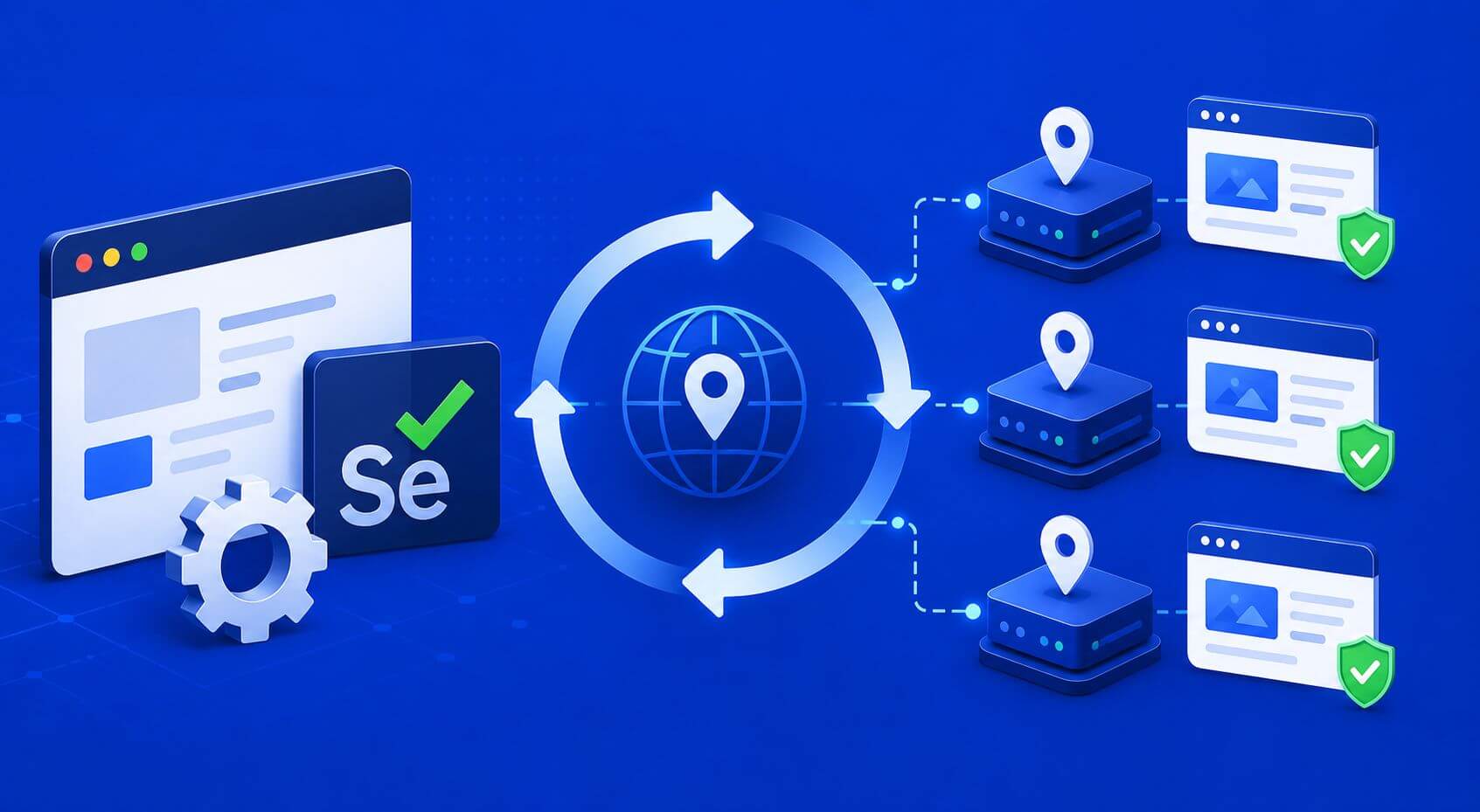
Selenium automation often starts clean in development, then breaks under real traffic. Pages slow down, login flows reset, CAPTCHA appears more often, and repeated requests from the same IP begin to fail. The right Selenium proxy rotation strategy helps prevent those failures by matching IP rotation, browser sessions, cookies, and workload type instead of rotating randomly.
The most reliable approach is to rotate proxies only when the workflow supports it. Use stable sessions for login-based tasks, rotate between independent page groups, and monitor block rate, session survival, retry depth, and CPSR before scaling. For Selenium teams, proxy rotation works best when it is controlled, measured, and tied to target behavior.
Why Selenium proxy rotation needs structure
Selenium is a browser automation framework used to control real browsers for testing, scraping, monitoring, and workflow automation. Because it drives a full browser, it carries more identity signals than a basic HTTP client.
That means the proxy layer cannot be treated as a simple IP switch. A Selenium session includes cookies, local storage, browser state, timing behavior, headers, screen behavior, and sometimes login history. If the IP changes too often while those other signals remain the same, the session can look inconsistent.
This is why teams using Selenium should think of rotation as part of session design. The goal is not maximum IP churn. The goal is stable automation that completes the task without creating avoidable detection signals.
What proxy rotation means in Selenium
Proxy rotation means changing the proxy endpoint used by a browser session, request batch, or workflow. In Selenium, this can happen in several ways.
You can rotate:
- per browser launch
- per workflow
- per account
- per region
- per failed session
- per batch of independent pages
The wrong approach is rotating inside an active browser identity without understanding what the site sees. For example, if a browser has cookies from one region but suddenly exits through another region, the target may challenge the session or return incorrect content.
Good rotation keeps network identity, browser state, and task purpose aligned.
When to rotate proxies in Selenium
Rotation is useful when each task is independent or when an IP starts showing signs of friction.
Rotate proxies when:
- pages do not depend on cookies
- each URL can be collected independently
- the target rate-limits by IP
- 403 or 429 errors cluster around one route
- latency rises sharply on one proxy
- a session receives repeated CAPTCHA challenges
- geo-specific content needs separate locations
Do not rotate aggressively when:
- the workflow requires login
- cookies need to persist
- cart or quote state matters
- the session spans multiple pages
- account reputation depends on consistency
- the workflow mimics a real user journey
This is where many Selenium setups fail. Teams rotate too often because they want to avoid blocks, but the rotation itself creates the inconsistency that triggers more blocks.
Proxy type selection: datacenter vs residential
The proxy type should match the target’s friction level.
For simple public pages, datacenter proxies can be a practical starting point. They are fast, predictable, and useful for low-friction workloads where the target accepts server-side IP ranges.
For sensitive targets, residential proxies are often better. They are useful for login-based flows, geo-sensitive content, marketplaces, travel pages, ad verification, and websites that challenge obvious server-side traffic more often.
The best setup is often hybrid. Use datacenter routes for discovery or low-risk pages, then use residential routes for stateful, localized, or high-friction steps.
Selenium proxy rotation decision table
Use this table as a practical starting point.
| Workflow type | Recommended proxy strategy | Rotation timing |
|---|---|---|
| Public page discovery | Datacenter proxies | Rotate by batch |
| Geo-sensitive content | Residential proxies | Rotate by region |
| Login-based dashboard | Residential sticky session | Rotate after logout or failure |
| Product detail pages | Residential or datacenter test | Rotate after page group |
| Search result monitoring | Residential proxies | One proxy per location |
| Failed route recovery | New proxy from same region | Rotate after error threshold |
This framework prevents over-rotation while still giving the system enough IP diversity to avoid repeated friction.
Basic Selenium proxy configuration
In Selenium, proxy setup depends on the browser driver and language. In Python with Chrome, the basic pattern looks like this:
# Example code for setting up a proxy in Selenium
from selenium import webdriver
from selenium.webdriver.common.proxy import Proxy, ProxyType

proxy = Proxy()
proxy.proxy_type = ProxyType.MANUAL
proxy.http_proxy = 'your_proxy:port'
proxy.ssl_proxy = 'your_proxy:port'

capabilities = webdriver.DesiredCapabilities.CHROME
proxy.add_to_capabilities(capabilities)

driver = webdriver.Chrome(desired_capabilities=capabilities)
If the proxy requires username and password authentication, Selenium setup can be more complex. Some teams use browser extensions, authenticated proxy handlers, or upstream proxy gateways to manage credentials.
For production workflows, avoid hardcoding proxy credentials directly into scripts. Use environment variables, secrets management, or a proxy gateway layer.
A rotation pattern that works in production
A reliable Selenium rotation system usually has four parts.
1. Proxy pool manager
The proxy pool manager stores available proxies, regions, session rules, health status, and failure history. It should not hand out a failing proxy repeatedly without review.
2. Session manager
The session manager decides which proxy belongs to which browser session. For login flows, the session manager should keep the same proxy until the workflow ends.
3. Failure classifier
The failure classifier labels what went wrong. A 403, 429, CAPTCHA, timeout, login reset, empty page, and geo mismatch should not all trigger the same response.
4. Metrics layer
The metrics layer tracks whether rotation is improving results. Without metrics, teams often rotate more but learn less.
This structure is closely related to broader proxy rotation strategies, where the real goal is not constant IP switching but smarter session control.
Example: rotate per browser session
This pattern launches a new browser with a different proxy for each independent task.
# Example code for rotating proxies per session
for task in tasks:
    driver = webdriver.Chrome(desired_capabilities=capabilities)
    # Perform task with the new proxy
This works best when pages are independent. It is not ideal for workflows that require cookies, login state, or multi-step navigation.
Example: keep one proxy for a full login workflow
# Example code for maintaining a single proxy during a login workflow
proxy = 'your_proxy:port'
# Use the same proxy for the entire login session
For authenticated tasks, the better pattern is to bind one proxy to one browser session.
from selenium import webdriver
from selenium.webdriver.chrome.options import Options

proxy = "http://residential-proxy-host:proxy-port"

options = Options()
options.add_argument(f"--proxy-server={proxy}")

driver = webdriver.Chrome(options=options)

try:
    driver.get("https://example.com/login")

    # perform login steps here
    # continue browsing inside the same browser session
    # avoid changing proxy mid-workflow

    driver.get("https://example.com/dashboard")
finally:
    driver.quit()
This keeps cookies, storage, browser state, and IP identity aligned. It also makes failures easier to diagnose because one session maps to one route.
Sticky sessions vs fast rotation
Sticky sessions keep the same IP for a defined period. Fast rotation changes IPs frequently.
For Selenium, sticky sessions are often the safer choice when the browser journey needs continuity.
Use sticky sessions for:
- account login
- form completion
- dashboard collection
- shopping cart workflows
- travel search paths
- multi-page account activity
Use faster rotation for:
- independent public pages
- discovery crawling
- URL validation
- non-authenticated page checks
- low-value retries after route failure
If you are unsure, start with sticky sessions for anything that looks like a real user journey.
What to measure before scaling
A Selenium proxy rotation system should be judged by valid outcomes, not by how many IPs it uses.
Track:
- Success rate: completed workflows divided by attempts
- Block rate: 403, 429, CAPTCHA, or challenge events
- Soft block rate: successful status codes with wrong or missing data
- Session survival: how long a session remains usable
- Retry depth: how many retries are needed per success
- Geo accuracy: whether the page reflects the intended region
- Latency: time to useful page load
- CPSR: total workflow cost divided by successful outputs
CPSR means cost per successful request or action.
In plain terms: CPSR shows how much every usable result actually costs after proxy spend, compute, and retries.
If rotation lowers blocks but doubles retries or latency, it may not be improving the system. The better strategy is the one that produces valid results at the lowest sustainable cost.
Real-world scenario: rank monitoring with Selenium
An SEO team uses Selenium to collect localized search results. Running everything through one region creates location mismatch, while rotating randomly causes inconsistent results.
The better setup assigns one residential proxy per target location and keeps that proxy stable for the full query set. Each session validates language, region, and page structure before counting the result.
The tradeoff is more controlled scheduling. The benefit is cleaner regional data and fewer false comparisons.
Real-world scenario: marketplace account automation
An eCommerce operator uses Selenium to manage marketplace accounts. The first setup rotates proxies frequently to avoid detection, but accounts keep receiving extra verification.
The improved setup assigns one residential proxy to each account session and rotates only after logout, session failure, or planned maintenance. This keeps account identity more consistent.
The outcome is fewer session resets and easier troubleshooting when one account or route starts failing.
Watch out for these Selenium rotation mistakes
Rotating during login flows
Changing IPs after login can break trust signals. Keep one proxy for the full authenticated workflow.
Using the same cookies across different proxy regions
Cookies from one region paired with another region’s proxy can create inconsistent session signals. Keep cookie storage aligned with proxy location.
Treating every error as a proxy problem
Some failures come from selectors, page changes, JavaScript timing, or account state. Label errors before rotating blindly.
Scaling browser instances too quickly
Selenium uses real browser resources. Too many parallel sessions can increase latency, crashes, and unstable timing.
Ignoring proxy health history
A failing proxy should not return to the active pool immediately. Track failures by proxy, domain, and error type.
Cost and performance tradeoffs
Proxy rotation has a cost. More rotation can mean more browser launches, more authentication events, more failed sessions, and more compute overhead.
Datacenter proxies are often better for cost and speed on simple targets. Residential proxies are often better for trust and geo-sensitive flows. Sticky sessions can improve stability but may reduce concurrency.
A good rotation strategy uses the lowest-cost route that still produces valid data. For larger workflows, connect Selenium testing with broader proxy tutorials so implementation details stay consistent across tools, environments, and teams.
How to tune rotation over time
Start with a conservative baseline. Then change one variable at a time.
A practical tuning path:
- Start with one proxy type per target group.
- Set a fixed concurrency limit per domain.
- Keep sessions sticky for stateful workflows.
- Rotate only after task completion or failure.
- Track block rate and retry depth.
- Compare CPSR before and after each change.
- Scale only the configuration that improves valid output.
This prevents random tuning. It also gives teams a way to explain why a setup works.
Frequently Asked Questions
Can Selenium rotate proxies?
Yes. Selenium can rotate proxies by launching browser sessions with different proxy settings. The cleanest approach is usually to assign a proxy when the browser starts, then rotate between sessions rather than inside an active workflow.
Should I rotate proxies on every Selenium request?
Usually not. Selenium controls a browser session, not just isolated HTTP requests. Rotating too often can break cookies, login state, and location consistency.
What proxy type works best for Selenium?
Datacenter proxies can work well for simple public pages and QA tasks. Residential proxies are usually better for geo-sensitive, login-based, or protected workflows where session trust matters.
Why does Selenium still get blocked with proxies?
The issue may be browser behavior, session mismatch, aggressive concurrency, bad cookies, fingerprint signals, or target-side changes. Proxies help with network identity, but they do not fix every browser automation signal.
How do I reduce CAPTCHA in Selenium?
Reduce concurrency, avoid rotating mid-session, keep geo and cookies aligned, and use higher-trust routes for sensitive workflows. Track CAPTCHA by proxy, domain, and session type to find the real trigger.
How should I measure if proxy rotation is working?
Measure success rate, block rate, soft block rate, retry depth, session survival, latency, geo accuracy, and CPSR. If valid output improves while cost stays controlled, the strategy is working.
Final thoughts
Selenium proxy rotation works when it follows the logic of the workflow. Independent pages can rotate more often. Login-based, geo-sensitive, and account-based workflows need stable sessions.
The strongest strategy is controlled rotation: choose the right proxy type, bind it to the right browser session, rotate at natural boundaries, and measure results before scaling. That approach reduces wasted retries and gives teams a cleaner path to reliable browser automation.
For production teams, the best Selenium proxy rotation strategy is not the one with the most IP changes. It is the one that produces accurate data, stable sessions, and a lower cost per successful result.
Related Articles
Scrapy Middleware Optimization for Large Proxy Pools
Learn how to optimize Scrapy middleware for large proxy pools using smarter routing, health scoring, retry classification, concurrency balancing, and session management. This guide explains practical middleware strategies that reduce block rates, improve scraper stability, lower CPSR, and help large-scale scraping systems scale more efficiently.
How to Use Residential Proxies with Puppeteer
Learn how to use residential proxies with Puppeteer to improve browser automation stability, reduce block rates, and handle geo-sensitive or login-based workflows more effectively. This guide covers proxy configuration, sticky sessions, browser contexts, rotation strategies, CPSR optimization, and production-ready best practices for scalable Puppeteer automation.