 Live Chat
 Log In

Local SEO Monitoring with Residential Proxies: Accurate Geo-Results at Scale

Local rankings are not fixed. A business can rank in one neighborhood, disappear two miles away, and show a different local pack on mobile compared with desktop. If your SEO reporting only uses national averages or broad city-level checks, you may be optimizing from incomplete data.
Local SEO monitoring with residential proxies helps teams collect location-accurate SERPs, map packs, and competitor visibility data from the areas they actually care about. For agencies, franchises, marketplaces, and multi-location brands, this makes rank tracking more useful because the data reflects how real users search in specific cities, ZIP codes, or neighborhoods.
Residential proxies are useful because they route requests through consumer IPs instead of obvious data center networks. When combined with correct location settings, device signals, language parameters, and careful scheduling, they help reduce geo mismatch, block rates, and noisy local ranking reports.
What Is Local SEO Monitoring with Residential Proxies?
Local SEO monitoring with residential proxies is the process of collecting search results from specific geographic areas using consumer-style IP addresses.
Instead of checking a keyword from one generic server location, the rank tracking system routes the request through a residential IP in or near the target market. The system then captures organic rankings, map pack results, local ads, business listings, review signals, and SERP features.
A local monitoring workflow usually tracks:
- organic rank positions
- map pack visibility
- local business listings
- competitor positions
- review count and rating changes
- local ads and sponsored placements
- SERP features
- city or ZIP-level ranking differences
- mobile vs desktop differences
The goal is to understand how visibility changes by location, device, and query intent.
Why Local Accuracy Matters
Local SEO depends on proximity, relevance, prominence, and search context. A single keyword can produce different results depending on where the search appears to come from.
For example, these searches can vary heavily by location:
- “emergency plumber”
- “best dentist near me”
- “used car dealer”
- “coffee shop open now”
- “personal injury lawyer”
- “storage units near me”
- “hotel near airport”
A business may rank well near its office but poorly in neighboring service areas. A franchise may dominate one district while a competitor controls another. A marketplace may show different inventory or local landing pages depending on the search region.
Without accurate local data, teams may:
- overestimate visibility
- miss neighborhood-level ranking gaps
- optimize the wrong landing pages
- misread competitor strength
- waste budget on low-impact markets
- fail to detect listing inconsistencies
- report rankings that clients cannot reproduce
Local SEO monitoring solves this by tying rankings to specific locations instead of broad averages.
Why Residential Proxies Are Useful for Local SEO
Search engines and local platforms often personalize results based on location, device, language, previous behavior, and network signals. Residential proxies help because they provide a more realistic network route for location-sensitive searches.
Compared with datacenter proxies, residential proxies are often better suited for local SEO monitoring because they can provide stronger consumer-like IP signals and better city-level coverage.
That does not mean datacenter proxies are useless. They can still work for broad national checks, low-risk SERP monitoring, or early-stage testing. But when the goal is reliable neighborhood or city-level local SEO data, residential proxies usually provide a better starting point.
How Local SEO Monitoring Works
A local monitoring system typically follows this flow:
Keyword + Target Location + Device
        ↓
Rank Tracking Scheduler
        ↓
Residential Proxy Router
        ↓
Search Engine / Map Result
        ↓
SERP Parser
        ↓
Geo Validation
        ↓
Rank Database
        ↓
Reporting Dashboard
The important part is not only routing through a proxy. The full request must match the intended location.
That includes:
- proxy city or region
- search engine location settings
- language parameters
- country parameters
- device type
- browser profile
- timezone
- query format
- neutral session state
A proxy can provide the network route, but the rest of the request must support the same location story.
Residential vs Datacenter vs Mobile Proxies for Local SEO
Different proxy types fit different local SEO tasks.
| Proxy Type | Best For | Strength | Limitation |
|---|---|---|---|
| Datacenter proxies | National checks, low-risk testing | Fast and cost-efficient | Weaker local realism |
| Residential proxies | City and neighborhood SERPs | Stronger local accuracy | Higher cost than datacenter |
| Static residential / ISP proxies | Recurring local checks | Stable sessions | Smaller pool availability |
| Mobile proxies | Mobile SERP validation | Strong mobile realism | Highest cost |
For most local SEO teams, residential proxies are the practical middle ground. They are stronger than datacenter proxies for local accuracy but less expensive than using mobile proxies for every query.
Mobile proxies should usually be reserved for high-value mobile validation, difficult markets, or spot checks where mobile-specific SERP behavior matters.
Decision Framework: Which Proxy Type Should You Use?
Use this framework when planning local SEO monitoring.
| Monitoring Goal | Recommended Proxy Type | Session Strategy |
|---|---|---|
| National ranking snapshot | Datacenter or ISP | Rotate per request |
| City-level rank tracking | Residential | Short sticky sessions |
| ZIP or neighborhood monitoring | Residential | Sticky by location |
| Map pack monitoring | Residential or mobile sample | Sticky for map interactions |
| Mobile SERP validation | Mobile or residential mobile profile | Short session |
| High-volume agency reporting | Hybrid pool | Route by market difficulty |
| Competitive local SEO | Residential | Validate geo on every run |
A hybrid model often works best. Use datacenter or ISP proxies for broad checks, residential proxies for local markets, and mobile proxies only where the added cost is justified.
Location Targeting: What to Validate
Geo accuracy is the most important quality metric in local SEO monitoring.
A proxy provider may label an IP as city-level, but the actual returned SERP may still reflect another nearby area, a broader metro region, or a generic national result. That is why every local monitoring system should validate location from the returned page.
Check signals such as:
- local pack business addresses
- map pack city names
- local ads
- “near me” behavior
- localized snippets
- currency or country-specific formatting
- interface language
- search result URLs
- map tile or region hints
- local business categories
Do not silently treat a nearby-city result as exact. If the target is “Brooklyn” and the result behaves like Manhattan, the system should log a geo mismatch.
Session Strategy for Local Rank Tracking
Session design affects both accuracy and cost.
For single-shot SERP checks, short rotation can work well. For map browsing, pagination, or multi-step checks, sticky sessions are better.
Use rotating sessions when:
- each keyword is independent
- only the first SERP page is needed
- query volume is high
- the target location is broad
- personalization needs to stay minimal
Use sticky sessions when:
- checking map pack details
- opening business profiles
- comparing multiple pages of results
- tracking ZIP-level results
- validating local SERP features
- checking the same area across related keywords
A practical starting point:
| Workflow | Suggested Session Policy |
|---|---|
| Broad local SERP checks | Rotate per request or short session |
| City-level keyword groups | Sticky 1–5 minutes |
| Map pack detail checks | Sticky 5–10 minutes |
| ZIP-level validation | Sticky 5–15 minutes |
| Mobile SERP checks | Sticky 5–10 minutes |
Tune these based on block rate, session survival, and CPSR.
How to Avoid Personalization Contamination
Local SEO monitoring should represent a neutral search session unless you are intentionally testing personalized results.
Avoid:
- reusing cookies across unrelated locations
- using logged-in accounts unless required
- mixing sessions between cities
- carrying search history from one market to another
- changing proxy location without resetting session context
For clean monitoring, isolate sessions by location, device type, and search group.
A good setup uses:
- fresh or controlled cookies
- location-specific sessions
- consistent language settings
- separate desktop and mobile profiles
- clear storage cleanup rules
- strict logging of session metadata
This keeps local reports more repeatable.
Browser and Request Configuration
Residential proxies help with location, but browser and request settings still matter.
Align:
- Accept-Language
- country parameter
- search location parameter
- timezone
- device type
- User-Agent
- viewport
- query settings
- safe search or personalization settings
If you run browser-based checks, make sure the browser profile supports the intended location. A residential IP in Toronto paired with a browser timezone in Los Angeles can create inconsistent signals.
For browser-driven workflows, SquidProxies proxy tutorials can help standardize setup across tools and workflows.
What to Measure in Local SEO Monitoring
Local SEO monitoring should be measured like a data pipeline, not just an SEO report.
Track these metrics:
| Metric | Why It Matters |
|---|---|
| Success rate | Shows how often valid SERPs are collected |
| Block rate | Tracks CAPTCHA, 403, 429, and interstitial pages |
| Geo accuracy | Confirms the SERP matches the intended location |
| Soft block rate | Catches pages that load but are not usable SERPs |
| Retry depth | Shows hidden collection friction |
| Session survival | Measures stability during map or multi-step flows |
| Parser error rate | Detects SERP layout changes |
| P95 latency | Helps maintain reporting schedules |
| CPSR | Shows cost per successful local result |
CPSR means cost per successful request.
In plain terms: CPSR tells you how much each valid local SERP costs after proxy spend, compute, retries, and failures.
If residential proxies cost more but reduce retries and improve geo accuracy, they may lower total operating cost.
Detecting Soft Blocks and Bad SERP Data
A status code alone is not enough. A page can return HTTP 200 and still be useless.
Examples of bad local SERP data include:
- CAPTCHA pages
- consent pages
- generic search pages
- results from the wrong city
- pages missing organic results
- map packs missing expected fields
- repeated identical results across different locations
- empty result containers
- unusual content length
Your parser should validate that the page actually contains the expected SERP structure and location signals.
Common Failure Modes
Wrong-Geo Results
The proxy route, search parameters, and returned local signals do not match.
Fix this by tightening city targeting, validating local pack addresses, and logging fallback locations.
High CAPTCHA Rates
This may come from high concurrency, repeated patterns, poor session design, or low-quality routes.
Fix this by reducing concurrency, adding scheduling jitter, rotating more carefully, or improving proxy pool diversity.
Over-Retrying
Retrying too many times can inflate cost without improving coverage.
Fix this by capping retry depth and spreading retries across time windows.
Parser Drift
Search result layouts change often. If the parser breaks, rankings may look missing.
Fix this by monitoring field-level null rates and storing sample HTML for QA.
Personalization Leakage
Cookies or session state from one location affect another location’s results.
Fix this by isolating sessions per location and device.
Real-World Scenario: Multi-Location Retailer
A retailer with 500 stores wants to monitor local pack visibility for “near me” and category keywords.
The original report uses broad city tracking and misses neighborhood-level changes. Some stores appear to rank well in city averages but are invisible near nearby competitors.
The improved setup uses residential proxies by city, coordinates by service area, and local pack address validation. The team discovers that several stores have inconsistent categories, missing local landing pages, and weaker visibility near competitor clusters.
The SEO team uses the data to prioritize listing cleanup, content updates, and internal linking to local pages.
Real-World Scenario: Local Services Agency
An agency tracks rankings for legal, dental, home services, and automotive clients across multiple cities.
Using the same proxy route for every market creates inconsistent reports. Some local pack results do not match manual checks.
The agency moves local tracking to residential proxies, keeps datacenter proxies for broad national snapshots, and adds geo accuracy flags to every SERP.
Reports become more reliable because the agency can separate true ranking movement from collection errors.
Cost Control for Local SEO Monitoring
Residential proxies improve local accuracy, but cost still matters.
Control cost by:
- prioritizing revenue-critical keywords
- sampling lower-value locations
- running full coverage weekly instead of daily where possible
- using datacenter proxies for broad checks
- reserving residential proxies for local SERPs
- limiting mobile proxies to validation samples
- capping retries
- monitoring CPSR by market
- reducing duplicate keyword-location checks
For budget planning, compare keyword volume, location count, and frequency against SquidProxies proxy plans and pricing.
Pilot Plan: Start with One Metro Area
Before scaling across every location, run a focused pilot.
Step 1: Pick Representative Keywords
Choose:
- branded keywords
- non-branded service terms
- “near me” queries
- competitor terms
- high-intent local keywords
Step 2: Select Test Locations
Include:
- city center
- nearby neighborhoods
- edge-of-service-area locations
- competitor-heavy zones
- lower-priority areas for comparison
Step 3: Run Residential Proxy Checks
Collect mobile and desktop results where relevant. Log proxy location, search parameters, SERP output, local pack entries, and geo validation fields.
Step 4: Measure Quality
Track:
- success rate
- block rate
- geo accuracy
- parser error rate
- retry depth
- CPSR
Step 5: Scale What Works
Expand to more locations only after the pilot produces reliable, repeatable results.
Best Practices Checklist
Use this checklist before production rollout:
- Define target cities, ZIPs, or coordinates.
- Map keywords to locations and devices.
- Use residential proxies for city and neighborhood-level checks.
- Align language, country, timezone, and device settings.
- Keep sessions isolated by location.
- Use sticky sessions for map and multi-step flows.
- Validate geo accuracy from returned SERP content.
- Detect CAPTCHA and soft blocks separately.
- Monitor parser errors and SERP layout changes.
- Track CPSR by city, keyword group, and proxy route.
- Avoid silent fallback from exact city to broad region.
- Review high-value markets manually during the pilot.
For broader strategy, connect local monitoring with SquidProxies proxy use cases, including market research, SEO monitoring, and web data collection.
Frequently Asked Questions
What is local SEO monitoring with residential proxies?
It is the process of collecting local search results through residential IPs in target locations so rankings, map packs, and local SERP features better reflect what users see in those areas.
Why use residential proxies for local SEO?
Residential proxies provide consumer-like IP routes and stronger local realism than many datacenter routes. They are useful when rankings change by city, ZIP, neighborhood, or device.
Can datacenter proxies work for local rank tracking?
Yes, for broad national checks or low-risk monitoring. But for city-level and neighborhood-level accuracy, residential proxies are usually more reliable.
How do I confirm the SERP came from the correct location?
Check local pack addresses, city names, map signals, language, regional snippets, and search settings. Store a geo accuracy flag for every result.
Should I use sticky or rotating residential proxies?
Use rotating sessions for single-shot SERP checks. Use sticky sessions for map browsing, pagination, ZIP-level validation, or multi-step local workflows.
How often should local rankings be checked?
High-value keywords and competitive markets may need daily checks. Lower-priority locations can often be monitored weekly. Use business value and ranking volatility to decide frequency.
What metrics should I monitor?
Track success rate, block rate, geo accuracy, soft block rate, retry depth, session survival, parser error rate, latency, and CPSR.
How can I reduce costs?
Prioritize important locations, reduce duplicate checks, use datacenter proxies for broad monitoring, limit mobile proxy use, cap retries, and track CPSR by location.
Final Thoughts
Local SEO monitoring is only useful when the data reflects the real market. If the SERP is collected from the wrong location, with inconsistent language settings, or through unreliable sessions, the report can mislead strategy.
Residential proxies help teams collect more accurate city, ZIP, and neighborhood-level SERP data. The best results come from combining the right proxy route with clean request settings, geo validation, session control, and strong metrics.
Start with one metro area, validate the data, measure CPSR, and scale only after the workflow is stable. That gives SEO teams a cleaner foundation for local ranking decisions, competitor analysis, and location-level growth.
Related Articles
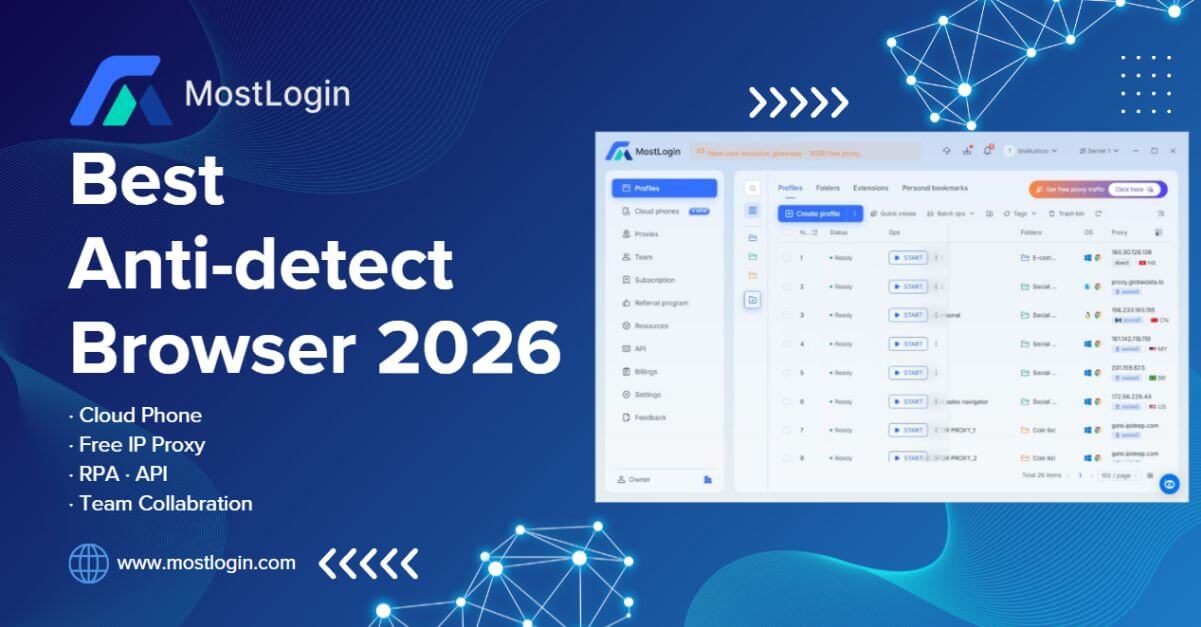
MostLogin: The Premier Anti-Detect Browser for Seamless Multi-Account Management and Automation
MostLogin is an anti-detect browser designed for secure multi-account management, browser profile isolation, proxy integration, automation, and team collaboration. It supports use cases across e-commerce, social media, affiliate marketing, advertising, and other multi-profile workflows.

E-Commerce Price Monitoring Infrastructure Guide
A practical, metrics-driven guide to designing, operating, and scaling e-commerce price monitoring infrastructure for marketing, SEO, and data teams.

Proxies for SEO Rank Tracking at Scale
A practical guide to choosing, deploying, and measuring proxies for high-volume SEO rank tracking with reliable geo accuracy, low block rates, and predictable cost.