 Live Chat
 Log In

Headless vs Headful Browsers in Modern Scraping: How to Choose
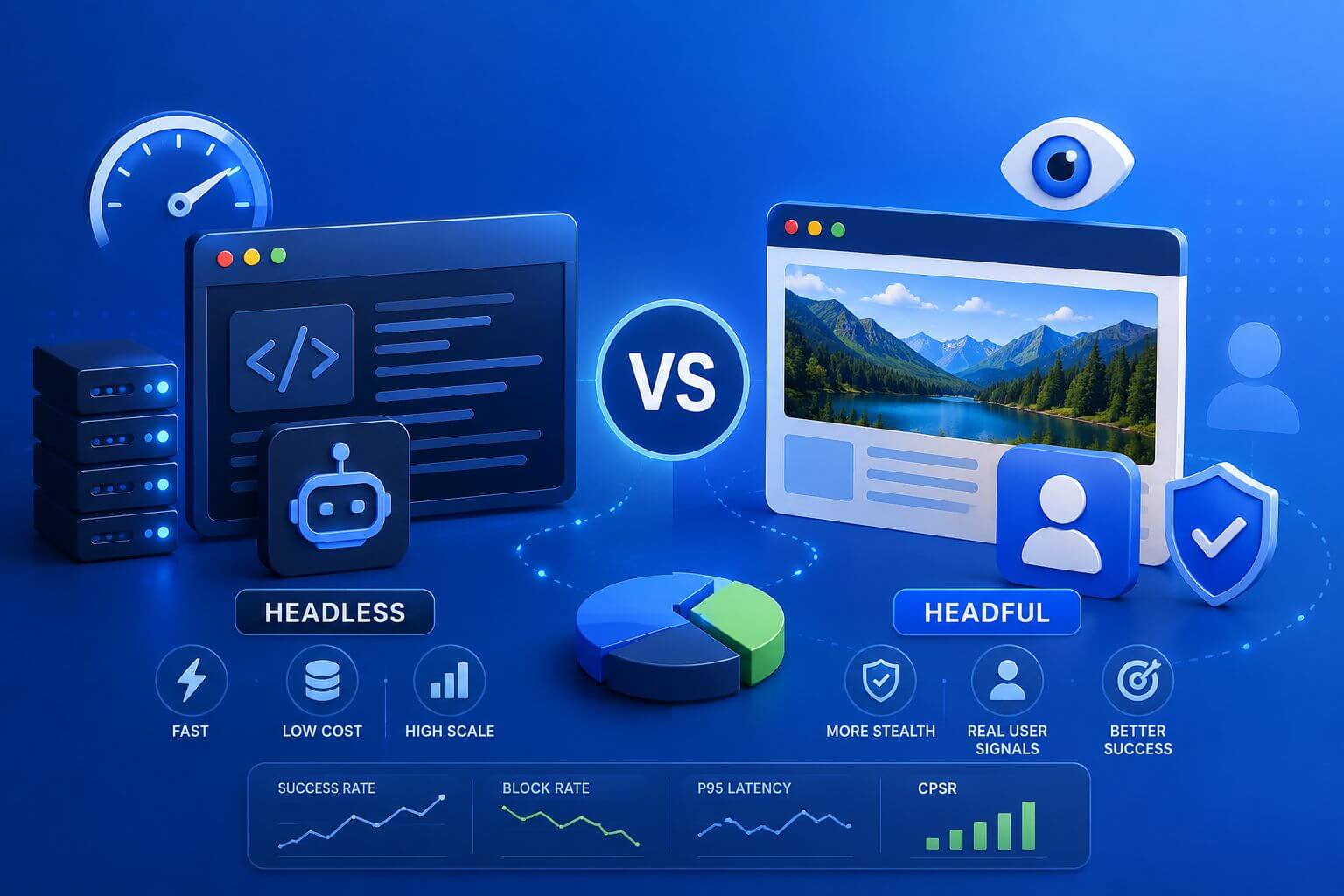
A scraper can look stable in development and still fail in production once real targets, higher concurrency, browser fingerprinting, and proxy routing come into play. One of the first decisions teams face is whether to run headless or headful browsers. That choice affects success rate, block rate, latency, infrastructure cost, and CPSR.
Headless vs headful browsers is not a simple “which one is better?” decision. Headless browsers run without a visible user interface and are usually faster, lighter, and easier to scale. Headful browsers run with a visible browser window and can behave closer to a real user environment, which may help on stricter, fingerprint-heavy targets. The best setup often uses both: headless for volume and headful for sensitive flows.
For teams building scraping or automation workflows, the browser mode should be treated as a routing decision. Use the lowest-cost mode that still returns valid data consistently, then escalate only when the target’s defenses justify the extra cost.
What Headless and Headful Browsers Mean
A headless browser is a real browser engine running without a visible window. It can load pages, execute JavaScript, render DOM content, click buttons, submit forms, and extract data without showing the browser UI.
A headful browser runs with a visible interface, closer to how a normal user opens Chrome, Firefox, or another browser on a device.
Both modes are available in common automation tools such as Playwright, Puppeteer, and Selenium. The difference is not whether the browser is “real.” The difference is how the browser exposes rendering, window, graphics, timing, and system-level signals.
Modern headless Chromium is much closer to headful Chromium than older headless builds. That helps reduce obvious detection gaps, but it does not remove the need for correct session design, fingerprint alignment, and proxy strategy.
Quick Decision: When to Use Headless vs Headful Browsers
Use headless browsers when speed, scale, and lower infrastructure cost matter more than maximum browser realism. Use headful browsers when the workflow is login-heavy, fingerprint-sensitive, or repeatedly failing in headless mode despite clean proxies and reasonable pacing.
A practical rule is simple:
Start headless, measure carefully, then escalate to headful only for the targets or workflows that justify it.
| Workload | Recommended Mode | Why |
|---|---|---|
| Static public pages | Headless | Lower cost, faster throughput |
| JavaScript-rendered pages | Headless first | Usually enough with modern engines |
| Product and price monitoring | Headless or hybrid | Headless for broad collection, headful for harder targets |
| Login-based dashboards | Headful or carefully tuned headless | Better session realism may matter |
| Marketplace account workflows | Headful | More sensitive to fingerprints and session behavior |
| Geo-targeted testing | Headless first | Faster profile and location rotation |
| Strict anti-bot environments | Headful test cohort | Useful when headless fails repeatedly |
| High-volume URL validation | Headless | Scale and cost control matter most |
This framework keeps infrastructure costs under control while preserving the option to use headful browsers where they improve success.
Why Browser Mode Affects Scraping Reliability
Websites do not only evaluate IP addresses. They may also evaluate browser behavior, graphics signals, JavaScript-exposed properties, timing, cookies, storage, and network consistency.
That is why a scraping stack using good web scraping proxies can still fail if the browser environment looks unusual.
Headless mode can be detected when defaults are unrealistic, outdated, or inconsistent with the rest of the session. Headful mode may reduce some of those gaps, but it is not a magic solution. Bad proxy reputation, geo mismatch, aggressive concurrency, or broken cookies can still cause blocks.
Browser mode is one layer. Proxy strategy, session handling, fingerprint consistency, and content validation all work together.
The Core Tradeoff: Speed, Realism, and Cost
Headless browsers are usually more efficient because they avoid the overhead of a visible UI. They are easier to run in containers, easier to parallelize, and better suited for high-volume data collection.
Headful browsers are heavier. They consume more CPU and memory, are slower to run at scale, and often require more careful infrastructure. But for certain targets, the added realism may improve session survival.
The tradeoff should be measured through:
- Success rate
- Block rate
- CAPTCHA rate
- Retry depth
- P95 latency
- Resource usage
- Session survival
- CPSR
CPSR means cost per successful request.
In plain terms: CPSR tells you how much each valid result costs after proxy spend, compute, retries, and failed sessions.
A headful browser is worth the extra cost only when it improves valid output enough to offset the added infrastructure expense.
How Proxies Fit Into the Decision
Browser mode and proxy type should be chosen together.
For lower-friction public pages, datacenter proxies can work well with headless browsers. This setup is often fast, repeatable, and cost-efficient.
For protected, geo-sensitive, or session-heavy flows, residential proxies may be a better fit. Residential routes can improve network realism, while headful or carefully tuned browser sessions improve client-side consistency.
A common production pattern looks like this:
| Target Type | Browser Mode | Proxy Strategy |
|---|---|---|
| Public category pages | Headless | Datacenter proxies |
| Product detail pages | Headless first | Datacenter or residential fallback |
| Login flows | Headful or persistent headless | Sticky residential proxy |
| Localized content | Headless first | Residential proxy by GEO |
| High-friction pages | Headful test group | Residential proxy with stable session |
| Broad discovery crawling | Headless | Datacenter proxies with rotation |
This prevents teams from using the most expensive setup everywhere.
Headless Detection: What Actually Gets Flagged
Headless detection rarely comes down to one signal. Most modern systems combine multiple indicators.
Common issues include:
navigator.webdriverexposure- unrealistic viewport size
- missing fonts
- strange WebGL vendor or renderer
- inconsistent User-Agent and OS signals
- missing plugins or media devices
- overly perfect timing
- unusual TLS or HTTP behavior
- no cookie history
- WebRTC mismatch
- high request velocity
Some of these are browser-mode related. Others are caused by poor profile design, proxy mismatch, or automation behavior.
For a deeper breakdown of client-side signals, review browser fingerprinting for web scraping. It explains which signals proxies can fix and which ones must be handled in the browser layer.
When Headless Browsers Are the Right Choice
Headless browsers are usually the best starting point for scraping teams.
Use headless when:
- pages are public
- login is not required
- JavaScript rendering is needed but not heavily protected
- high throughput matters
- infrastructure cost must stay low
- browser sessions are short
- data validation is straightforward
Headless is especially practical for eCommerce monitoring, SEO checks, URL validation, public page rendering, and large discovery crawls.
If the target returns valid content with low retries and acceptable latency, headless should remain the default.
When Headful Browsers Are Worth Testing
Headful browsers are worth testing when the workflow behaves more like a real user journey.
Use headful when:
- login or SSO is required
- the site checks graphics or media behavior
- headless sessions repeatedly trigger CAPTCHA
- pages fail after interaction, not initial load
- long-lived sessions matter
- anti-bot friction is high
- account-based workflows are involved
Headful mode may help because it can expose a more natural browser environment. However, it should be tested on a controlled subset before rollout.
Do not move everything to headful simply because one target fails.
A Practical Escalation Path
Use this path before making expensive infrastructure changes.
- Start with modern headless mode.
- Validate page content, not only HTTP status.
- Tune viewport, timezone, language, and session storage.
- Align proxy location with browser profile.
- Reduce concurrency and retry pressure.
- Test sticky sessions.
- Compare headless against headful on the same target.
- Move only failing segments to headful.
This approach protects CPSR while improving reliability where it matters.
Implementation Notes for Playwright, Puppeteer, and Selenium
Playwright
Playwright is often a strong choice for modern scraping because it supports Chromium, Firefox, and WebKit. It also makes browser contexts easy to isolate.
Use separate contexts for different accounts, GEOs, or session types. Keep proxy routing, timezone, language, and storage consistent within each context.
Puppeteer
Puppeteer is a good fit for Chromium-based scraping and automation. It is lightweight, widely used, and suitable for headless-first workflows.
When using Puppeteer, be careful with launch flags, viewport defaults, and proxy configuration. Small inconsistencies can become obvious at scale.
Selenium
Selenium is commonly used when teams need broad browser support, legacy flows, or interaction-heavy automation.
For login-heavy workflows, Selenium with a headful browser may be useful, but it should be monitored closely for resource usage and session stability.
Resource Blocking: Helpful but Risky
Blocking images, fonts, analytics scripts, or third-party trackers can reduce cost and speed up scraping.
But aggressive resource blocking can also break page logic or detection assumptions.
For headless workflows, resource blocking is useful when:
- the target page still renders correctly
- required scripts remain enabled
- validation confirms data completeness
- blocking does not trigger anti-tamper behavior
For headful workflows, be more careful. If the goal is realism, stripping too many resources may make the session less natural.
What to Measure Before Scaling
A browser-mode decision should be based on data.
Track these metrics:
| Metric | Why It Matters |
|---|---|
| Success rate | Confirms usable output |
| Block rate | Shows target resistance |
| CAPTCHA rate | Often indicates fingerprint or behavior issues |
| Soft block rate | Catches pages that load but return wrong data |
| Retry depth | Shows hidden friction |
| P95 latency | Protects freshness and SLA targets |
| Session survival | Measures stability of longer workflows |
| CPU and memory per worker | Predicts infrastructure cost |
| CPSR | Measures real cost per usable result |
Do not rely on page status alone. A page can return 200 and still contain missing, wrong, or region-mismatched data.
Real-World Scenario: eCommerce Price Monitoring
An eCommerce team monitors thousands of product pages across several retailers.
They start with headless Chromium and datacenter proxies for broad collection. Most retailers return clean product data with low latency.
Two retailers begin returning soft blocks and missing price modules. Instead of moving the entire system to headful browsers, the team creates a separate route for those domains using residential proxies and persistent browser contexts.
The result is a hybrid system. Headless handles the majority of volume, while the harder targets receive a more realistic and more expensive setup only where needed.
Real-World Scenario: Authenticated Travel Dashboard
A travel data team needs to collect availability from a supplier portal that requires login.
Headless mode works for the login page but fails after several dashboard interactions. Sessions reset, and retry depth increases.
The team tests headful Chromium with sticky residential proxies, stable browser profiles, and slower interaction pacing. Session survival improves, and manual intervention drops.
The setup costs more per session, but CPSR improves because fewer workflows fail.
Watch Out for These Failure Modes
Treating Headful as a Universal Fix
Headful mode can still fail if proxies, locale, cookies, or timing are wrong.
Overusing Headful Browsers
Headful at scale can increase cost quickly. Use it where metrics prove value.
Ignoring Browser Fingerprints
Mode alone does not solve fingerprint problems. User-Agent, WebGL, fonts, timezone, storage, and WebRTC still matter.
For WebRTC-specific issues, review our guide on WebRTC leaks.
Blocking Too Many Resources
If blocked resources change the page experience, your scraper may collect incomplete data or trigger integrity checks.
Scaling Before Baseline Testing
Small tests can hide production failures. Pilot with representative targets, volumes, and GEOs.
Cost and Infrastructure Considerations
Headless browsers usually support higher concurrency per machine. That makes them easier to scale for broad crawling and monitoring.
Headful browsers often require more CPU, memory, and display-related dependencies. In cloud environments, they may need virtual displays or container configuration.
A good cost strategy is:
- Use HTTP clients where possible.
- Use headless browsers for JavaScript rendering.
- Use headful browsers only for difficult workflows.
- Use residential proxies only where network realism improves output.
- Keep datacenter routes for tolerant, high-volume pages.
This layered approach protects cost while improving coverage.
Compliance and Data Quality
Browser mode does not change the need for responsible data collection.
Teams should respect applicable laws, platform terms, privacy requirements, and internal governance policies. Keep logs of collection activity, maintain rate limits, and avoid collecting data beyond the approved scope.
Good compliance and good data quality often support each other. A measured, controlled scraper is easier to audit and easier to operate.
Frequently Asked Questions
What is the difference between headless and headful browsers?
A headless browser runs without a visible UI. A headful browser runs with a visible browser window. Both can use real browser engines, but they expose different rendering and system-level signals.
Is headless mode detectable?
It can be. Modern headless browsers are much better than older versions, but poor configuration, automation flags, unrealistic settings, or missing browser features can still raise suspicion.
Is headful always better for scraping?
No. Headful may help on stricter targets, but it is slower and more expensive. Use it only when it improves success rate, session survival, or CPSR.
Should I start with headless or headful?
Start with headless unless the workflow is clearly login-heavy, account-based, or fingerprint-sensitive. Escalate to headful only when testing shows headless cannot produce stable, valid results.
Do proxies matter more than browser mode?
They both matter. Proxy type affects IP reputation, location, and network behavior. Browser mode affects client-side signals. Strong scraping systems align both layers.
Can Playwright run both headless and headful?
Yes. Playwright supports both modes and makes it easy to isolate browser contexts. It is useful for testing headless and headful behavior against the same target.
Can Puppeteer run headful mode?
Yes. Puppeteer can launch Chromium in headless or headful mode. Headful mode may help when testing interaction-heavy workflows or diagnosing browser behavior.
When should I avoid browsers entirely?
Avoid browsers when simple HTTP requests return complete, valid data. Browsers are more expensive than HTTP clients and should be used when JavaScript rendering, interaction, or browser state is required.
What metrics prove headful is worth it?
Look for higher success rate, lower retry depth, longer session survival, and lower CPSR despite higher compute cost. If those metrics do not improve, headful may not be worth scaling.
What is the best setup for modern scraping?
The best setup is usually hybrid. Use HTTP clients for simple endpoints, headless browsers for scalable rendering, and headful browsers for the hardest browser-sensitive workflows.
Final Thoughts
Headless vs headful browsers should not be treated as a fixed preference. It is a routing decision based on target difficulty, fingerprint pressure, data value, and cost.
Use headless where it works. Use headful where it improves valid output enough to justify the added cost. Align browser mode with proxy type, session policy, and monitoring metrics.
For implementation support, explore SquidProxies proxy tutorials and broader proxy use cases to connect browser automation with production-ready proxy strategy.
Related Articles

Browser Fingerprinting for Web Scraping: What Proxies Can and Cannot Fix
A practical guide to browser fingerprinting in web scraping and the exact problems proxies can and cannot solve. Includes decision frameworks, failure modes, metrics to monitor, and real-world scenarios for teams running scraping, automation, and data collection at scale.

WebRTC Leaks: Why They Break Anti-Detect Setups
A practical guide to WebRTC leaks: how they expose real IPs behind proxies, why they trigger anti-bot flags, and how to prevent them across browsers and automation stacks—with clear decision paths, configuration tips, and metrics to monitor.
Browser Fingerprinting Explained for Scrapers
Learn how browser fingerprinting affects modern web scraping and why proxies alone are not enough for stable automation. This guide explains browser signals like user agent, WebRTC, canvas, timezone, and session behavior, along with practical strategies to reduce CAPTCHA, soft blocks, geo mismatches, and unstable browser sessions at scale.