 Live Chat
 Log In

CAPTCHA Avoidance Techniques for Browser Automation
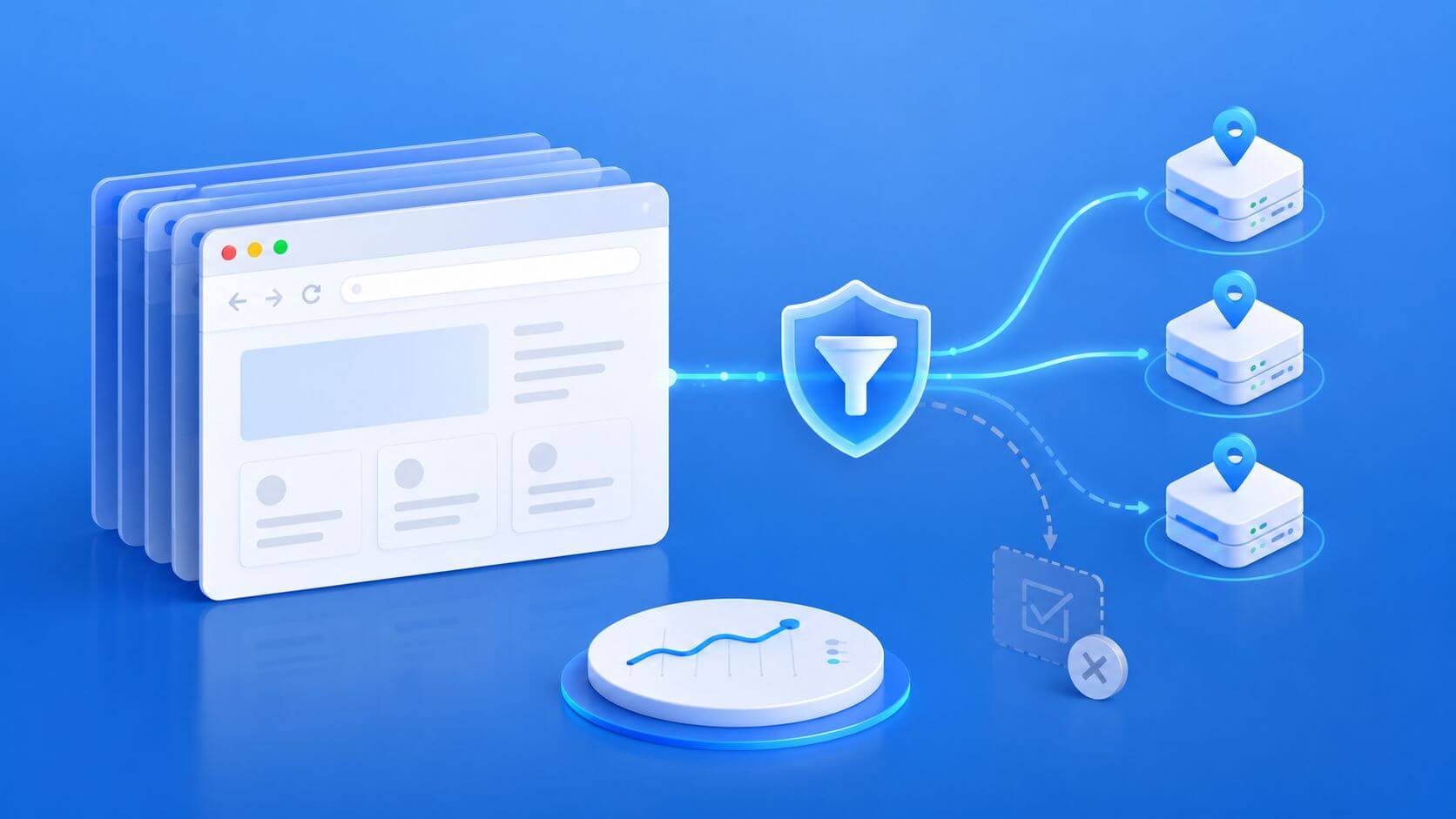
Browser automation can fail quickly when CAPTCHA prompts start appearing across a crawl. Success rates drop, retry queues grow, and the cost per usable result rises even though your infrastructure is still sending requests. For teams using web scraping proxies, browser automation frameworks, and large data pipelines, the goal is not to break CAPTCHA systems. The goal is to reduce the signals that cause sites to challenge your traffic in the first place.
CAPTCHA avoidance techniques should focus on prevention, not circumvention. A responsible strategy combines conservative traffic pacing, consistent sessions, clean proxy routing, realistic browser environments, and strong monitoring. If CAPTCHA prompts remain frequent, the right response is to slow down, reschedule, reduce scope, or seek approved access through APIs, feeds, partnerships, or whitelisting.
Why CAPTCHA Prompts Appear in Browser Automation
A CAPTCHA usually appears when a website decides that a session carries elevated risk. That risk score may come from the IP address, traffic volume, browser fingerprint, JavaScript behavior, cookies, session history, or user interaction patterns.
In production scraping and automation, CAPTCHA prompts often increase when:
- too many requests come from the same IP range
- sessions rotate too quickly
- browser fingerprints look inconsistent
- headless browser settings expose automation signals
- cookies and local storage are cleared too often
- traffic arrives in unnatural bursts
- proxy location and browser locale do not match
- retry logic keeps hitting already-sensitive endpoints
This is why CAPTCHA issues are rarely solved by changing one setting. The strongest approach is to improve the full automation path: proxy selection, browser fidelity, session design, pacing, and measurement.
CAPTCHA Avoidance vs CAPTCHA Solving
CAPTCHA avoidance means reducing the triggers that cause challenges. CAPTCHA solving means attempting to pass a challenge after it appears.
For responsible browser automation, prevention is the safer and more durable strategy. It improves data quality, reduces operational waste, and lowers the chance of escalating friction with target sites.
Use CAPTCHA avoidance techniques to:
- reduce unnecessary challenge prompts
- keep sessions consistent
- avoid excessive retries
- protect data quality
- lower CPSR
- preserve compliance review standards
- decide when official access is the better route
Avoid tactics that attempt to break, bypass, or defeat CAPTCHA protections. When a site challenges nearly every request, that is a signal to reassess the workflow rather than push harder.
Common CAPTCHA Triggers and Better Responses
Use this table to identify likely causes and responsible responses.
| Trigger Pattern | Likely Cause | Better Response |
|---|---|---|
| CAPTCHA appears after a traffic spike | Concurrency too high | Reduce per-domain concurrency and add pacing |
| CAPTCHA appears on new sessions | No cookie history or session trust | Reuse legitimate session state where appropriate |
| CAPTCHA appears across one ASN | IP reputation or ASN clustering | Test a different proxy pool or reduce traffic from that ASN |
| CAPTCHA appears after JavaScript execution | Browser fingerprint issue | Audit browser settings, WebGL, fonts, timezone, and automation flags |
| CAPTCHA appears only in one country | Geo or locale mismatch | Align proxy GEO, language, timezone, and content target |
| CAPTCHA appears after retries | Retry pressure | Add backoff and stop retrying hot endpoints |
| CAPTCHA appears in headless only | Browser mode or fingerprint issue | Compare modern headless, headful, and real-browser baselines |
The key is to diagnose before changing infrastructure. Blindly rotating more proxies can increase instability if the real problem is session behavior or browser fingerprinting.
Choose the Right Proxy Type for the Workload
Proxy type matters because IP reputation, ASN, location, and session stability influence risk scoring.
Use datacenter proxies for lower-friction tasks such as public pages, sitemaps, category checks, status monitoring, and high-volume pages that do not require strong consumer-like signals.
Use residential proxies for more sensitive workflows, including localized content, account-based browsing, consumer-like journeys, geo-specific testing, and dynamic pages that react poorly to data center IP ranges.
A practical mapping looks like this:
| Workload | Proxy Strategy | Session Policy |
|---|---|---|
| Sitemap and public category pages | Datacenter proxies | Short sessions, controlled concurrency |
| Product listings and filters | Residential or hybrid | Sticky sessions by GEO |
| Price and availability checks | Residential for sensitive domains | Stable session window |
| Login-based workflows | Residential proxies | One proxy per session or account |
| Geo-targeted QA | Residential by country or region | Locale and timezone aligned |
| Simple URL validation | Datacenter proxies | Rotation by batch |
The best proxy choice is the one that returns valid data with the lowest sustainable CPSR, not the one that looks strongest on paper.
Build Sessions That Look Consistent
Many CAPTCHA problems come from unstable session design.
A browser session includes more than an IP address. It also includes cookies, local storage, browser fingerprint, timezone, language, viewport, and user journey history.
A stable session should keep these signals aligned:
- proxy location
- browser timezone
- browser language
- User-Agent
- device profile
- cookies and storage
- target GEO
- session purpose
Do not rotate IPs in the middle of a login, cart, quote, or multi-step browsing flow. If the browser identity remains the same while the IP jumps between locations, the session can look inconsistent.
For session-heavy workflows, sticky sessions often perform better than aggressive rotation. For independent public pages, rotation can be useful, but it should still follow a controlled routing policy.
Use Browser Fidelity Carefully
CAPTCHA prompts often rise when browser automation looks incomplete or inconsistent. This is common in poorly configured headless environments.
Browser fidelity means the automation environment behaves like a normal browser session for the target workflow. It does not mean over-randomizing every signal.
Pay attention to:
- modern browser versions
- realistic viewport and device settings
- stable User-Agent per session
- JavaScript support
- WebGL behavior
- fonts and media devices
- timezone and language
- cookies and local storage
- WebRTC behavior
For JavaScript-heavy workflows, tools such as Playwright, Puppeteer, and Selenium can provide strong browser control. The framework alone is not enough, though. Session design and proxy alignment still matter.
For a deeper look at client-side signals, review the guide on browser fingerprinting for web scraping.
Headless vs Headful: When Browser Mode Matters
Headless browsers are faster and cheaper to run. They are often the right default for public pages, product monitoring, large URL checks, and scalable JavaScript rendering.
Headful browsers are heavier but may behave closer to normal user environments on sensitive workflows. They may be worth testing when CAPTCHA prompts appear only after interaction, login, rendering, or account activity.
A practical path is:
- Start with modern headless mode.
- Validate content quality, not just status codes.
- Tune sessions, proxy routing, timezone, and language.
- Reduce concurrency.
- Test headful on a small slice only if headless remains unstable.
- Compare CPSR before rolling out.
For a deeper comparison, use the guide on headless vs headful browsers when deciding which mode belongs in each part of your pipeline.
Control Traffic Shape Before Scaling
Traffic shape is one of the most important CAPTCHA avoidance techniques. Sites often react not only to volume but also to pattern.
Avoid:
- large bursts from new sessions
- identical intervals between requests
- high parallelism on sensitive pages
- immediate retries after a challenge
- repeated hits to the same endpoint after failure
- scaling all domains with one global concurrency rule
Use:
- per-domain concurrency limits
- backoff after blocks or challenges
- scheduled collection windows
- queue-based pacing
- session-aware retry policies
- domain-specific routing rules
If a target starts challenging traffic, do not keep hammering it with retries. Pause, cool down, lower concurrency, or move that workload to a later time window.
Design Retries to Reduce Risk
Retries are necessary in production systems, but bad retry logic can make CAPTCHA problems worse.
A healthy retry policy should:
- classify errors before retrying
- limit retry depth
- use exponential backoff
- avoid retrying challenge pages immediately
- stop after repeated CAPTCHA prompts
- log the failure reason
- preserve session context where appropriate
A retry should not simply mean “try again with another IP.” If the browser fingerprint, cookies, or behavior caused the challenge, a new IP may not help.
Watch for WebRTC, DNS, and Geo Mismatches
Some CAPTCHA prompts come from hidden inconsistency rather than obvious traffic volume.
For example, a browser may route HTTP traffic through a proxy but expose conflicting network details through WebRTC. Or the IP may appear in one country while the timezone and language suggest another.
These inconsistencies can increase risk scores.
Validate:
- public IP
- proxy country or city
- browser timezone
- browser language
- DNS behavior
- WebRTC behavior
- cookies and session history
For WebRTC-specific issues, read the guide on WebRTC leaks.
What to Measure During CAPTCHA Reduction
Measure CAPTCHA reduction through business and operational metrics, not guesses.
| Metric | Why It Matters |
|---|---|
| Success rate | Shows whether usable output is improving |
| CAPTCHA encounter rate | Tracks challenge frequency |
| Block rate | Captures 403, 429, and challenge responses |
| Soft block rate | Catches pages that load but return incomplete data |
| Retry depth | Shows hidden friction and wasted work |
| Session survival | Measures how long sessions remain usable |
| Geo accuracy | Confirms location-sensitive content is valid |
| P95 latency | Protects freshness and delivery expectations |
| CPSR | Shows actual cost per valid result |
CPSR means cost per successful request.
In plain terms: CPSR tells you how much each usable result costs after proxy spend, browser compute, retries, and failed attempts.
If CAPTCHA prompts decrease but infrastructure cost doubles, check whether CPSR actually improved.
Pilot Plan: A Responsible Two-Week Test
Use a controlled pilot before applying changes across every domain.
Week 1: Baseline
Choose one domain and one workload. Run a representative sample using the current setup.
Record:
- success rate
- CAPTCHA encounter rate
- block rate
- retry depth
- session survival
- P95 latency
- CPSR
Do not change too many variables at once.
Week 2: Improve One Layer at a Time
Test controlled changes:
- Reduce concurrency.
- Add backoff after challenges.
- Move from per-request rotation to sticky sessions.
- Align timezone and language with proxy location.
- Improve browser fidelity.
- Segment sensitive pages to residential proxies.
- Reschedule high-friction jobs to cooler windows.
Compare the second run against the baseline. Keep only changes that improve valid output and CPSR.
Real-World Scenario: Travel Price Monitoring
A travel data team collects route pricing every 30 minutes. CAPTCHA prompts increase during peak hours, and retry depth rises.
The team reduces per-domain concurrency, introduces sticky residential sessions, and separates high-friction routes from lower-risk pages. They also align browser timezone and language with the proxy region.
The result is not simply fewer CAPTCHAs. The more important improvement is better session survival and fewer wasted retries, which lowers operational cost.
Real-World Scenario: eCommerce SEO QA
An SEO team checks category pages, product pages, canonicals, schema, and indexability across multiple eCommerce sites.
Most pages are public and low-friction. Instead of using expensive residential routes everywhere, the team uses datacenter proxies with conservative concurrency and caching.
When specific product pages trigger challenges, those pages are queued for slower retries or routed through a more controlled browser session.
The result is a lower-cost system that avoids overengineering easy pages.
Handling Unavoidable CAPTCHAs Responsibly
Some targets will continue challenging automation even after careful tuning.
- pause the job
- reduce concurrency
- reschedule the workload
- remove low-value pages from scope
- request API access where available
- use approved data feeds or partnerships
- send edge cases to human review only when permitted
Do not build workflows around breaking CAPTCHA systems. Persistent challenges are a signal that the collection method or access path needs review.
Common Mistakes to Avoid
Rotating IPs Too Quickly
Per-request IP rotation can damage session trust. Use session-based routing instead.
Mixing Cookies Across Locations
Cookies from one region paired with a proxy in another region can create identity drift.
Treating CAPTCHA as a Proxy-Only Problem
CAPTCHA prompts can come from browser fingerprints, session behavior, JavaScript execution, or aggressive retries.
Over-Tuning Fingerprints
Constantly changing fingerprints can look less realistic than stable, coherent profiles.
Ignoring Data Quality
A page can load successfully and still be wrong. Validate prices, content, region, availability, and required fields.
Scaling Before Measuring
Small tests can hide production problems. Always validate with representative traffic before scaling.
Frequently Asked Questions
What are CAPTCHA avoidance techniques?
CAPTCHA avoidance techniques are responsible methods for reducing the triggers that cause websites to challenge automation. They include traffic pacing, session consistency, proxy quality, browser fidelity, and monitoring.
Is CAPTCHA avoidance the same as CAPTCHA bypassing?
No. CAPTCHA avoidance focuses on preventing unnecessary challenges by reducing risk signals. Bypassing means trying to defeat a challenge after it appears, which can violate site rules and create compliance risk.
Which proxy type helps reduce CAPTCHA prompts?
It depends on the workload. Datacenter proxies can work well for public static pages. Residential proxies are often better for dynamic, geo-sensitive, or consumer-like browsing flows.
Do headless browsers cause more CAPTCHAs?
They can if poorly configured. Modern headless browsers can work well, but missing fonts, unusual WebGL signals, automation flags, or unrealistic timing can increase challenge rates.
How much concurrency is safe?
There is no universal number. Start conservatively, measure block rate and CAPTCHA encounter rate, then increase only when success rate and session survival remain stable.
Should I rotate IPs after every CAPTCHA?
Not automatically. If the CAPTCHA was caused by browser behavior or session inconsistency, rotating the IP may not solve the problem. Classify the failure first.
How long should sticky sessions last?
Use the length of the workflow as a guide. Simple browsing may need shorter sessions. Login, cart, quote, or multi-step flows usually need longer stable sessions.
How do I prove a CAPTCHA reduction strategy works?
Track success rate, CAPTCHA encounter rate, block rate, retry depth, session survival, and CPSR before and after changes. A good strategy improves valid output without increasing total cost disproportionately.
When should I stop and seek approved access?
If CAPTCHA prompts appear on nearly every request, or if reducing load and improving session quality does not help, consider APIs, feeds, partnerships, or written permission instead of pushing harder.
Final Thoughts
The strongest CAPTCHA avoidance techniques are preventive, measurable, and responsible. They reduce unnecessary challenges by improving how traffic is paced, how sessions persist, how proxies are routed, and how browsers behave.
Start with the basics: lower concurrency, stabilize sessions, align proxy and browser signals, and measure outcomes. Then segment the workload so easy pages stay efficient while sensitive pages receive more careful routing.
For implementation support, explore SquidProxies proxy tutorials and broader proxy use cases to connect browser automation, proxy routing, and production data collection strategy.
Related Articles

Common Proxy Errors and How to Fix Them
A practical, operator-grade guide to diagnosing and fixing common proxy errors with clear decision paths, measurable signals, and production-ready tactics for marketing, eCommerce, travel, finance, and data teams.

How Websites Detect Proxy Traffic: Signals, Tests, and Practical Defenses
A practical guide to how websites detect proxy traffic, the signals they use, and how data teams can measure, design, and operate low-friction scraping and automation flows.

How Retailers Detect Competitive Price Scraping
A practical guide to how retailers detect price scraping, the signals and traps they use, and how data, SEO, and pricing teams can design resilient, measurable scraping operations without spiraling costs or block rates.